🎮 ROBLOX | EUROPE | 10 - 150 EUR | TOP-UP CODE | AUTO ⚡
Content: text (0 symbol)
Available: 1
Uploaded:
Positive responses: 0
Negative responses: 0
Sold: 0
Refunds: 0
$17.34
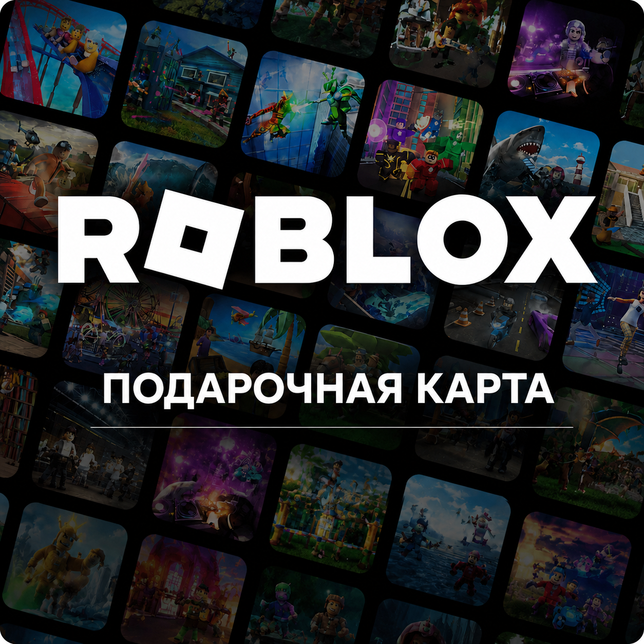
🛒 Buy a Roblox top-up code for region EUROPE in amounts 10 - 150 EUR. Official Roblox Corporation code, instant 24/7 auto-delivery.
⚡️ INSTANT 24/7 AUTO-DELIVERY ⚡️
🔥 OFFICIAL ROBLOX CODE 🔥
⚠️ IMPORTANT — PLEASE READ
🔥 After payment you instantly receive an original Roblox Gift Card top-up code — once redeemed, the listed amount is credited to your Roblox wallet and converted to Robux at the regional rate.🎮 Item: Roblox Gift Card (Roblox Code) — EUROPE (EU)
💵 Available denominations: 10 - 150 EUR
💻 Platform: PC / Xbox / PlayStation / Nintendo Switch / Android / iOS (universal via the Roblox account)
🌎 Account region: EUROPE (EU)
🎯 Type: digital Roblox / Robux top-up code
✅ Original Roblox Corporation code
✅ Balance credited in local EUR → automatically converted to Robux at the regional rate
✅ Robux spend on premium items, accessories, emotes, game passes, avatars, in-game passes and gamepasses across thousands of user-created Roblox games
✅ Some denominations include a bonus Virtual Item — check the specific nominal on the Roblox site
✅ Code has no expiry (until redeemed)
✅ Cross-platform: Robux are available on ALL platforms tied to your Roblox account simultaneously
⚠️ IMPORTANT
❗ Your Roblox account must be registered in EUROPE (EU). A different region will NOT redeem.
❗ Roblox picks the region from billing details and signup country. Region change is only possible via Roblox support.
❗ Balance does NOT carry over between Roblox regions.
❗ No refund once the code is redeemed.
❗ Single-use code — keep secret until redemption.
🔥 Official Roblox codes only.
📌 How to redeem a Roblox Gift Card?
🎯 BEFORE BUYING make sure your Roblox account is registered in EUROPE (EU).
▶️ Via the Roblox website (recommended):
1. Open https://www.roblox.com/redeem
2. Sign in to your Roblox account in the same region.
3. Enter the 10-character PIN → confirm.
4. Balance is credited instantly to Roblox Credit / automatically converted to Robux.
▶️ Via the Roblox app (mobile / console):
1. Open the Roblox app → your avatar (top-right corner).
2. Menu "Get Robux" → "Redeem Cards".
3. Enter the PIN code → confirm.
4. Robux credited to your balance.
⚠️ IMPORTANT:
• Roblox account region must match the card region — EUROPE (EU)
• Balance in local EUR → automatically converted to Robux at the regional rate
• Robux are cross-platform across all devices on one Roblox account
• No refund once the code is redeemed
• Single-use code — keep secret until redemption
• Code has no expiry
🎯 BEFORE BUYING make sure your Roblox account is registered in EUROPE (EU).
▶️ Via the Roblox website (recommended):
1. Open https://www.roblox.com/redeem
2. Sign in to your Roblox account in the same region.
3. Enter the 10-character PIN → confirm.
4. Balance is credited instantly to Roblox Credit / automatically converted to Robux.
▶️ Via the Roblox app (mobile / console):
1. Open the Roblox app → your avatar (top-right corner).
2. Menu "Get Robux" → "Redeem Cards".
3. Enter the PIN code → confirm.
4. Robux credited to your balance.
⚠️ IMPORTANT:
• Roblox account region must match the card region — EUROPE (EU)
• Balance in local EUR → automatically converted to Robux at the regional rate
• Robux are cross-platform across all devices on one Roblox account
• No refund once the code is redeemed
• Single-use code — keep secret until redemption
• Code has no expiry
No feedback yet