Marathon 5/5 Season 2 Nightfall💎Transmit Engine Magnum Twitch Drop
Content: text (0 symbol)
Available: 60
Uploaded: 02.06.2026
Positive responses: 0
Negative responses: 0
Sold: 0
Refunds: 0
Seller: STP1
information about the seller and its items
Loyalty discount! If the total amount of your purchases from the seller more than:
| $200 | the discount is | 10% |
$1.8
Receive immediately
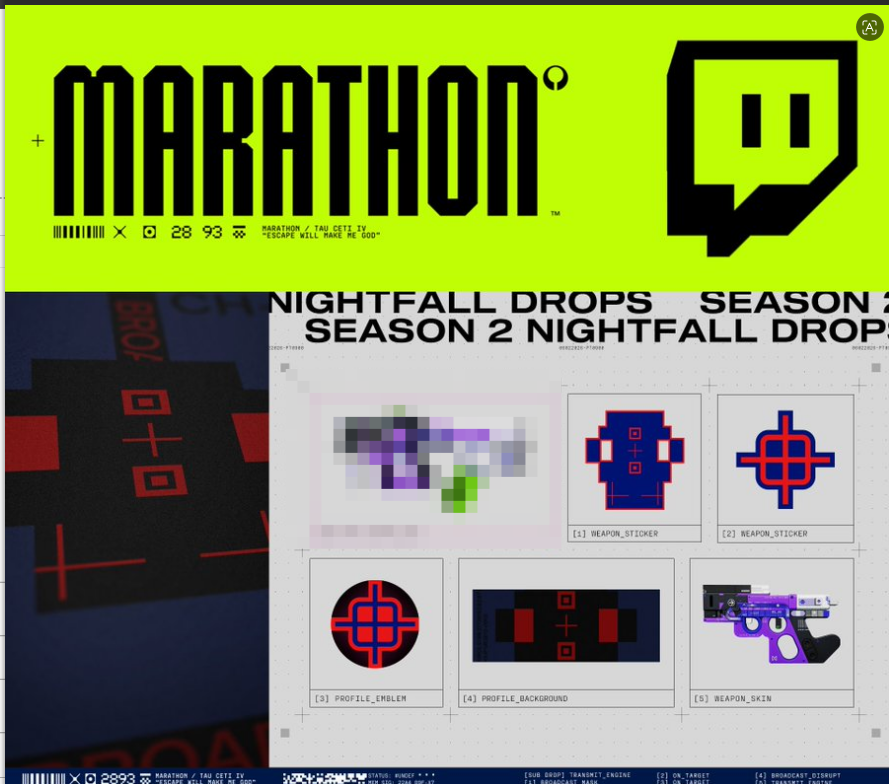
After payment, you will automatically receive a TWITCH account, which you can link to receive ALL of the following items
✅Profile Background: Broad
✅Weapon Sticker: Broadcast
✅Profile Emblem: On Target
✅Weapon Sticker: On Target
✅Transmit Engine Magnum
How to Claim Reward
1.Go to https://www.bungie.net/ and log in to your Bungie account.
2.Click your profile avatar in the upper-right corner → Settings → Account Linking (on the left menu).
3.Scroll down to Social Accounts → Twitch → Click Link Account.
4.In the pop-up page, sign in using the account credentials you purchased, then click Authorize.
If a verification code is requested, click Remind Me Later next to the verification prompt to skip the verification step.
5.You will see a prompt indicating that the account "XXXX" is about to be linked.
Copy the yellow text displayed on the page.
Paste it into the input box below and click Confirm Linking.
Return to the Twitch linking page and make sure Public Profile is checked (✓).
6.Open the following URL:twitch.tv/drops/inventory Locate the Marathon rewards and click Claim.
⚠️ Important: You must link the Twitch account first before claiming any rewards. The order of these steps is critical. If the steps are completed in the wrong order, you may not receive the items.
After payment, you will automatically receive a TWITCH account, which you can link to receive ALL of the following items
✅Profile Background: Broad
✅Weapon Sticker: Broadcast
✅Profile Emblem: On Target
✅Weapon Sticker: On Target
✅Transmit Engine Magnum
How to Claim Reward
1.Go to https://www.bungie.net/ and log in to your Bungie account.
2.Click your profile avatar in the upper-right corner → Settings → Account Linking (on the left menu).
3.Scroll down to Social Accounts → Twitch → Click Link Account.
4.In the pop-up page, sign in using the account credentials you purchased, then click Authorize.
If a verification code is requested, click Remind Me Later next to the verification prompt to skip the verification step.
5.You will see a prompt indicating that the account "XXXX" is about to be linked.
Copy the yellow text displayed on the page.
Paste it into the input box below and click Confirm Linking.
Return to the Twitch linking page and make sure Public Profile is checked (✓).
6.Open the following URL:twitch.tv/drops/inventory Locate the Marathon rewards and click Claim.
⚠️ Important: You must link the Twitch account first before claiming any rewards. The order of these steps is critical. If the steps are completed in the wrong order, you may not receive the items.
No feedback yet