XenArmor Windows Defender Manager Pro 1 Year License Key
Content: text (0 symbol)
Available: 20
Uploaded: 02.06.2026
Positive responses: 0
Negative responses: 0
Sold: 0
Refunds: 0
$11.01
🖥️ XenArmor Windows Defender Manager Pro 🖥️
💗 An enterprise-grade system utility designed to give you absolute control over Microsoft Defender, allowing you to instantly toggle protections, prevent background performance drag, and efficiently manage file exclusions. 💗
Software Features
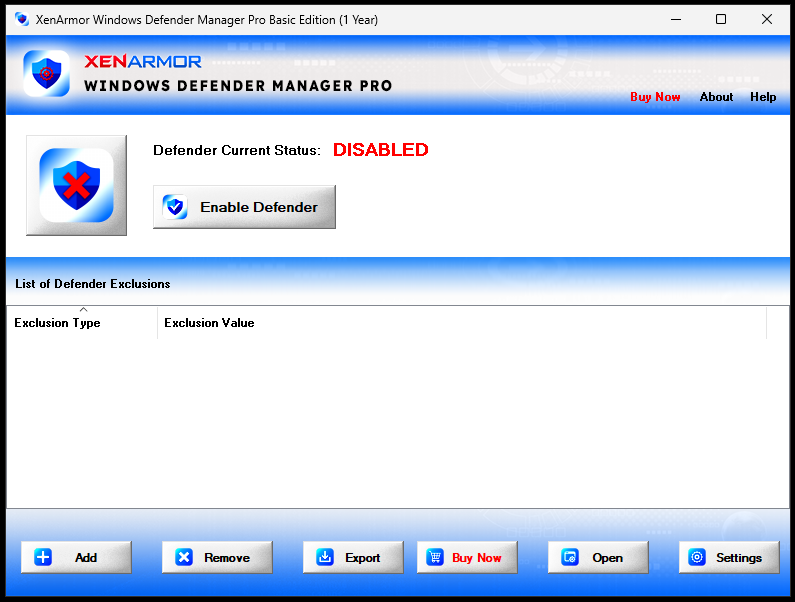
🛠️ Provides one-click global control to fully enable or disable Microsoft Defender without needing a system reboot.
🛠️ Features a "Real-Time Status Enforcer" that continuously monitors and locks your chosen Defender configuration so background elements or malware can´t stealthily alter it.
🛠️ Selectively toggles specific protection vectors, including Real-Time Monitoring, Cloud-Based Protection (MAPS), Script Scanning, Email Scanning, and Archive/Behavior monitoring.
🛠️ Integrates smoothly into the Windows right-click context menu, letting you instantly add any file or folder to the Defender exclusion list.
🛠️ Displays a clean, color-coded dashboard matrix to help you quickly sort, identify, and audit your active exclusions.
🛠️ Features a rogue-entry scanner to find and scrub unauthorized exclusions quietly injected into your system by malware.
🛠️ And many more...
Software Specifications
🖥️ System Requirements: Windows: Windows 11, Windows 10
🌐 Internet connection required for program activation (registration code)
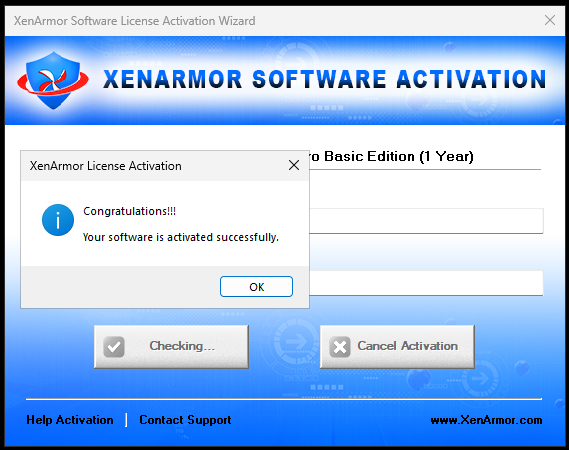
🔑 After payment, you instantly receive " email and license key " in the form of (email:licensekey)
License Spesification
📌 Original: Official from the store.
📌 Unique license key: A special code just for you.
📌 Valid for 1 year (XenArmor Windows Defender Manager Pro).
How to use license
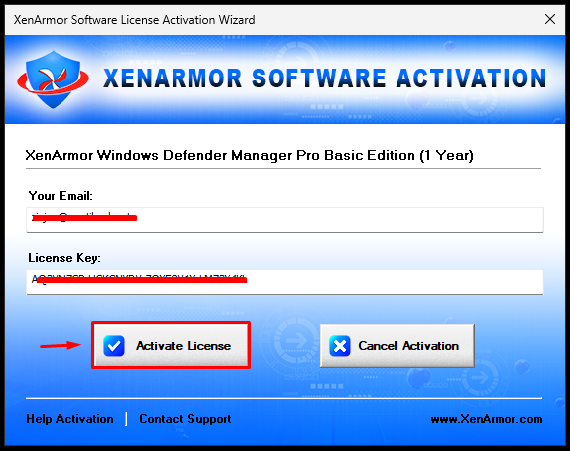
🔐 Follow the instructions during the program installation, then go to the "Activate License" in menu.
Troubleshooting guidelines
❌ Do not write negative reviews.
✅ Go to "chat" tab and explain the problem.
✅ We will response within 24 hours.
✅ For effective communication, we may request you to record a video confirming your activation attempt (using the purchased key).
💗 An enterprise-grade system utility designed to give you absolute control over Microsoft Defender, allowing you to instantly toggle protections, prevent background performance drag, and efficiently manage file exclusions. 💗
Software Features
🛠️ Provides one-click global control to fully enable or disable Microsoft Defender without needing a system reboot.
🛠️ Features a "Real-Time Status Enforcer" that continuously monitors and locks your chosen Defender configuration so background elements or malware can´t stealthily alter it.
🛠️ Selectively toggles specific protection vectors, including Real-Time Monitoring, Cloud-Based Protection (MAPS), Script Scanning, Email Scanning, and Archive/Behavior monitoring.
🛠️ Integrates smoothly into the Windows right-click context menu, letting you instantly add any file or folder to the Defender exclusion list.
🛠️ Displays a clean, color-coded dashboard matrix to help you quickly sort, identify, and audit your active exclusions.
🛠️ Features a rogue-entry scanner to find and scrub unauthorized exclusions quietly injected into your system by malware.
🛠️ And many more...
Software Specifications
🖥️ System Requirements: Windows: Windows 11, Windows 10
🌐 Internet connection required for program activation (registration code)
🔑 After payment, you instantly receive " email and license key " in the form of (email:licensekey)
License Spesification
📌 Original: Official from the store.
📌 Unique license key: A special code just for you.
📌 Valid for 1 year (XenArmor Windows Defender Manager Pro).
How to use license
🔐 Follow the instructions during the program installation, then go to the "Activate License" in menu.
Troubleshooting guidelines
❌ Do not write negative reviews.
✅ Go to "chat" tab and explain the problem.
✅ We will response within 24 hours.
✅ For effective communication, we may request you to record a video confirming your activation attempt (using the purchased key).
No feedback yet