Iconic Flow PRO [Win/Mac] — AI-powered graphics and icon editor
Content: text (0 symbol)
Available: 30
Uploaded: 14.05.2026
Positive responses: -1
Negative responses: 0
Sold: -1
Refunds: -1
$6
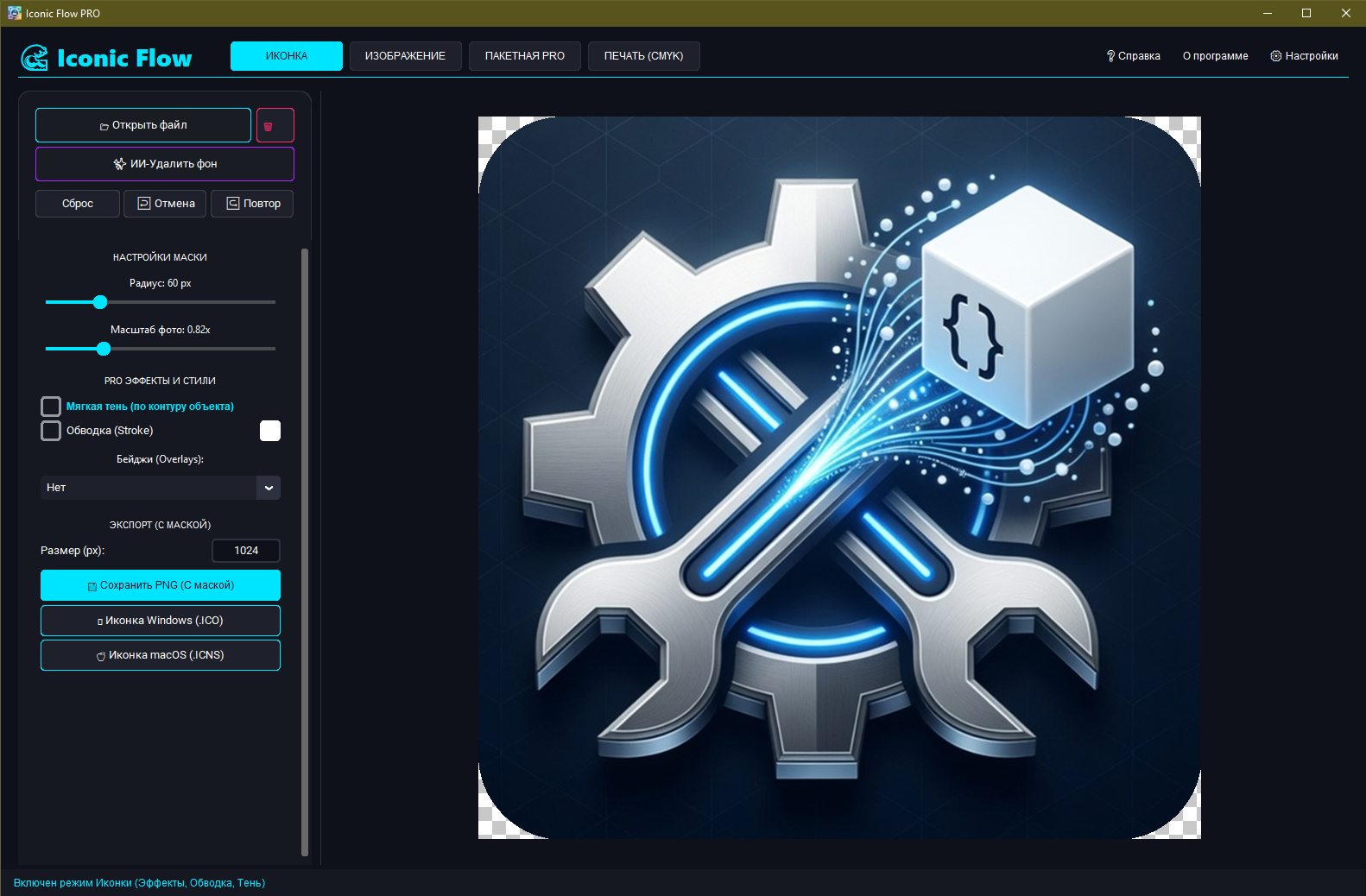
🌊 Iconic Flow PRO [Win/Mac] — Professional AI Editor and Graphics Generator
Forget expensive subscriptions and cumbersome graphics editors! Iconic Flow PRO is a powerful, fast, and modern desktop tool created specifically for designers, UI/UX specialists, app developers, and freelancers.
The program combines neural network technologies with professional tools for working with raster and vector images and preparing design assets. Everything that previously required hours of routine work can now be done in one click!
🔥 ATTENTION: Special discounted price for early adopters in exchange for your honest review! Price will be increased soon.
🚀 KEY FEATURES AND KILLER FEATURES:
✨ Neural Network Technologies (AI)
• AI Background Removal: Perfectly cut out objects in one click without artifacts (based on the powerful u2net model).
• AI Smart Upscale (x2): Intelligently increases image resolution while preserving clarity and detail.
📐 Advanced Vectorization
• Instantly convert any raster image to vector format (SVG).
• Flexible tracing settings: brightness threshold, shadow clipping, edge quality adjustment (anti-aliasing), and vector recoloring.
📦 Asset Generator for Developers
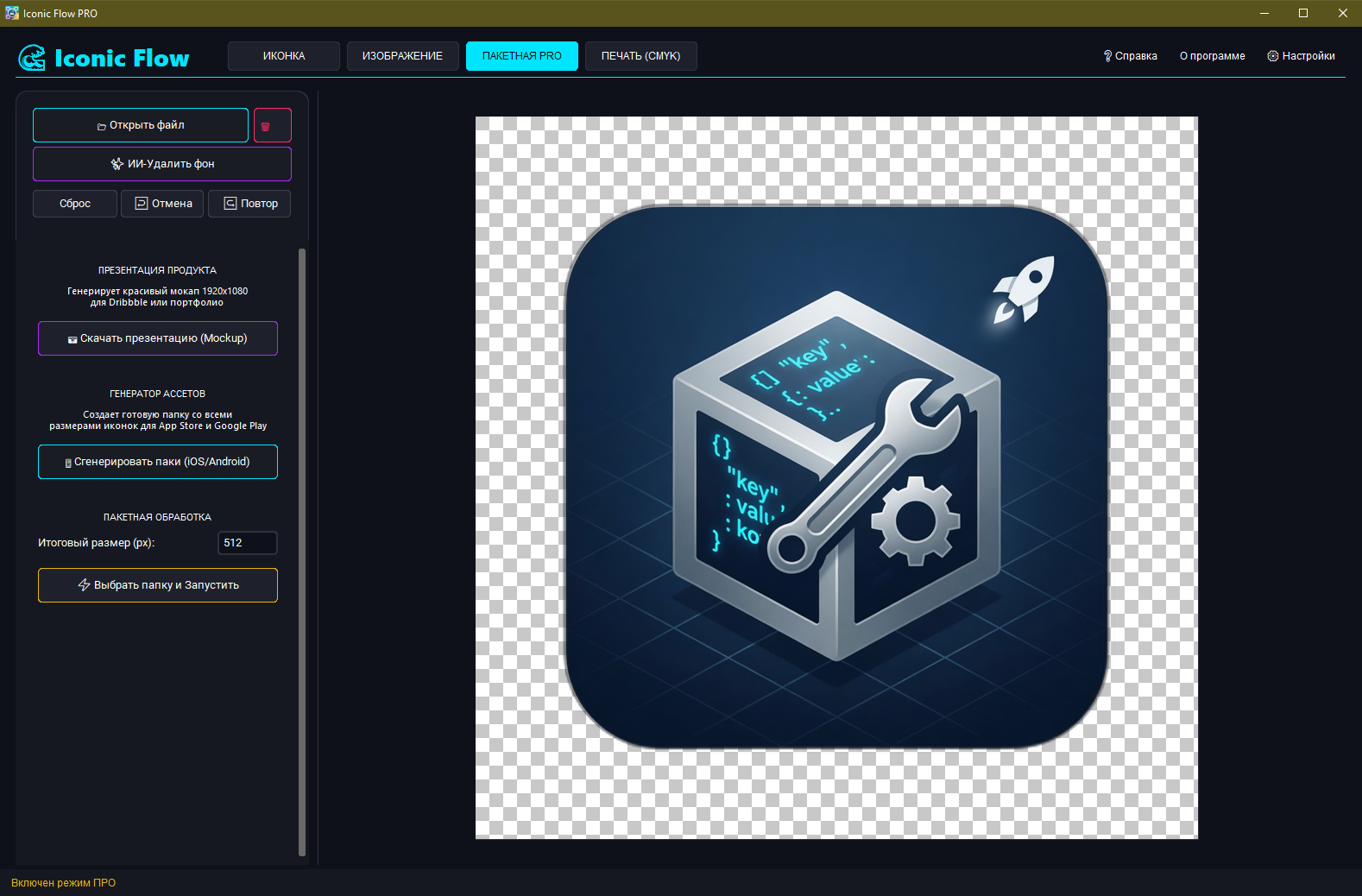
• Create ready-made icon packs for the App Store and Google Play in seconds.
• Automatic generation of all required sizes (from 16x16 to 1024x1024 px) and formats (PNG, ICO, ICNS).
📷 Product Presentation (Mockups)
• Automatically generate stylish mockups in 1920x1080 resolution.
• Ideal for publishing your work on Dribbble, Behance, or in your portfolio. The software automatically adds a blurred background, 3D shadow, and centers your work.
⚡ Batch Processing
• Select a folder with hundreds of images and process them all at once (cropping, masking, and resizing).
🎨 Pro Effects and Art Filters
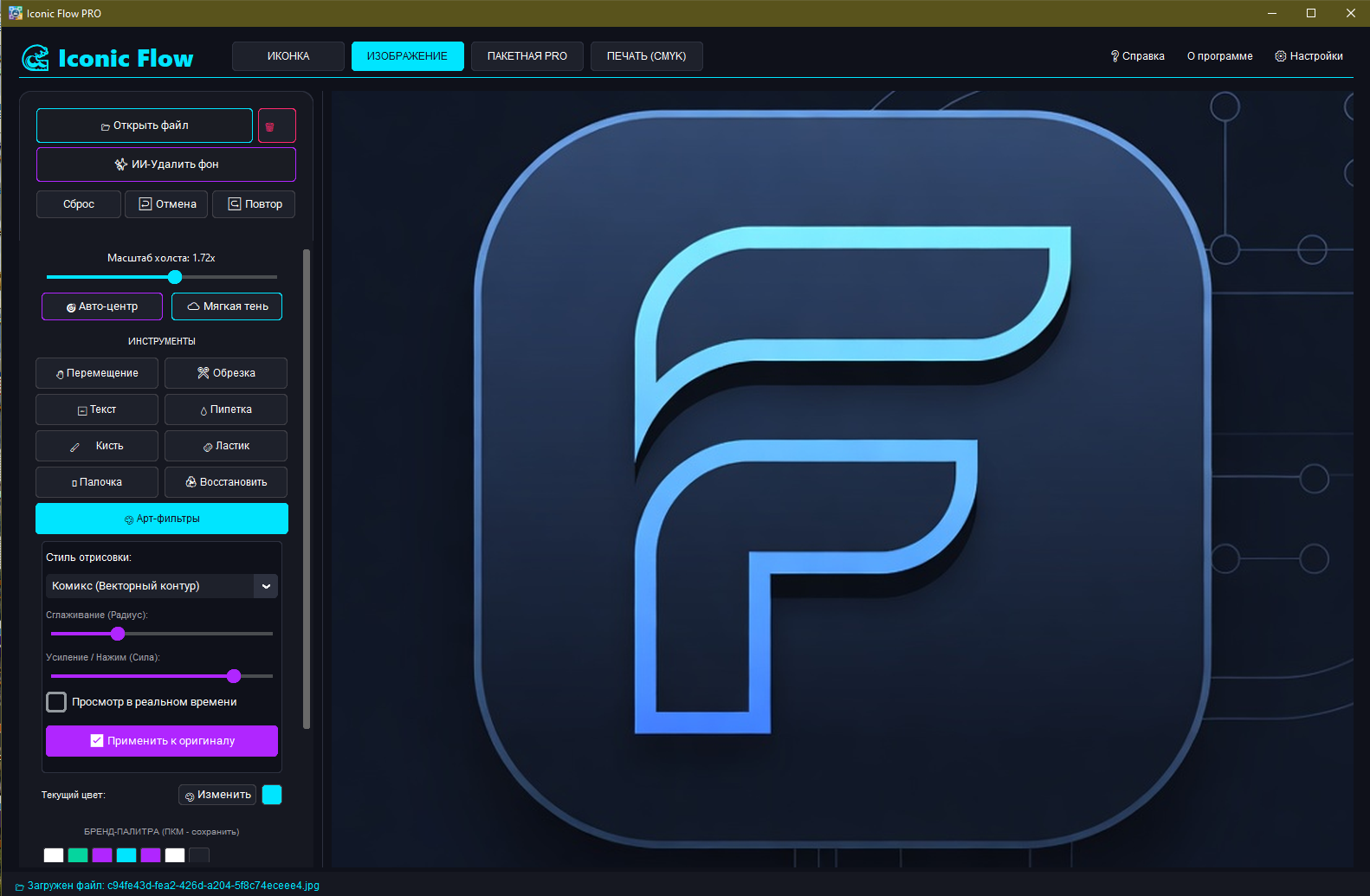
• Built-in art filters: Comic, Pencil Sketch, Watercolor, Cartoon, and Glass Effect.
• Professional contour work: soft shadows along the silhouette of an object, outlines, and stylish badge overlays (PRO, NEW).
• Classic tools: brush, eraser, smart "Magic Wand," eyedropper, text addition.
🖨 Pre-Press
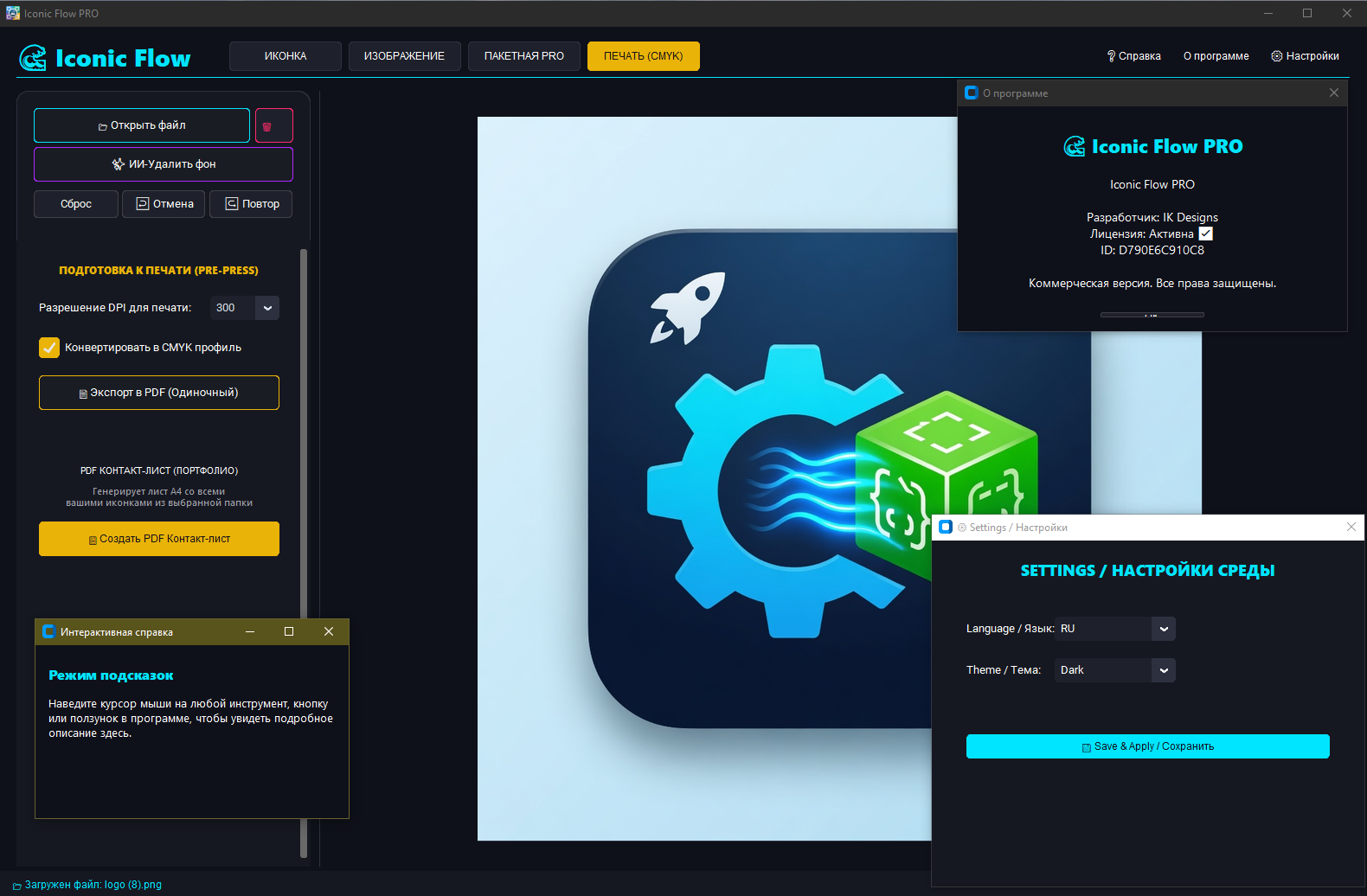
• Conversion to CMYK color profile.
• Export layouts to PDF with adjustable resolution (from 150 to 600 DPI).
• Automatic generation of a PDF contact sheet (A4 format) from your work folder.
💎 WHAT YOU RECEIVE AFTER PAYMENT:
1. A unique license activation key.
2. A direct download link for the latest version of the program for Windows or macOS.
📌 IMPORTANT LICENSE INFORMATION:
• This is a Lifetime license (purchase once and forever, no hidden subscriptions).
• The license is linked to the hardware ID (HWID) of your computer (1 key = 1 PC).
• The program is suitable for commercial use.
Forget expensive subscriptions and cumbersome graphics editors! Iconic Flow PRO is a powerful, fast, and modern desktop tool created specifically for designers, UI/UX specialists, app developers, and freelancers.
The program combines neural network technologies with professional tools for working with raster and vector images and preparing design assets. Everything that previously required hours of routine work can now be done in one click!
🔥 ATTENTION: Special discounted price for early adopters in exchange for your honest review! Price will be increased soon.
🚀 KEY FEATURES AND KILLER FEATURES:
✨ Neural Network Technologies (AI)
• AI Background Removal: Perfectly cut out objects in one click without artifacts (based on the powerful u2net model).
• AI Smart Upscale (x2): Intelligently increases image resolution while preserving clarity and detail.
📐 Advanced Vectorization
• Instantly convert any raster image to vector format (SVG).
• Flexible tracing settings: brightness threshold, shadow clipping, edge quality adjustment (anti-aliasing), and vector recoloring.
📦 Asset Generator for Developers
• Create ready-made icon packs for the App Store and Google Play in seconds.
• Automatic generation of all required sizes (from 16x16 to 1024x1024 px) and formats (PNG, ICO, ICNS).
📷 Product Presentation (Mockups)
• Automatically generate stylish mockups in 1920x1080 resolution.
• Ideal for publishing your work on Dribbble, Behance, or in your portfolio. The software automatically adds a blurred background, 3D shadow, and centers your work.
⚡ Batch Processing
• Select a folder with hundreds of images and process them all at once (cropping, masking, and resizing).
🎨 Pro Effects and Art Filters
• Built-in art filters: Comic, Pencil Sketch, Watercolor, Cartoon, and Glass Effect.
• Professional contour work: soft shadows along the silhouette of an object, outlines, and stylish badge overlays (PRO, NEW).
• Classic tools: brush, eraser, smart "Magic Wand," eyedropper, text addition.
🖨 Pre-Press
• Conversion to CMYK color profile.
• Export layouts to PDF with adjustable resolution (from 150 to 600 DPI).
• Automatic generation of a PDF contact sheet (A4 format) from your work folder.
💎 WHAT YOU RECEIVE AFTER PAYMENT:
1. A unique license activation key.
2. A direct download link for the latest version of the program for Windows or macOS.
📌 IMPORTANT LICENSE INFORMATION:
• This is a Lifetime license (purchase once and forever, no hidden subscriptions).
• The license is linked to the hardware ID (HWID) of your computer (1 key = 1 PC).
• The program is suitable for commercial use.
⚙️ SYSTEM REQUIREMENTS:
• OS: Windows 10/11 (64-bit) or macOS.
• RAM: 4 GB or more (8 GB recommended for fast neural network performance).
• Disk space: ~500 MB for local AI models.
• Internet: required only for key verification during activation.
🔑 ACTIVATION INSTRUCTIONS:
1. After payment, you will receive a unique key and a link to download the latest version of the program.
2. Download the archive and unzip it to a convenient folder.
3. Run the program file.
4. In the authorization window that appears, paste the purchased key and click "Activate."
5. Done! The license will automatically be linked to your device.
📞 CUSTOMER SUPPORT:
We value our customers! If you have any questions, difficulties launching the app, or if the app displays an error, please don´t rush to leave a negative review. Contact us via chat on your purchase page (under "Contact seller"), and we´ll promptly help resolve any issues.
The developer is available and regularly releases updates to improve the app.
• OS: Windows 10/11 (64-bit) or macOS.
• RAM: 4 GB or more (8 GB recommended for fast neural network performance).
• Disk space: ~500 MB for local AI models.
• Internet: required only for key verification during activation.
🔑 ACTIVATION INSTRUCTIONS:
1. After payment, you will receive a unique key and a link to download the latest version of the program.
2. Download the archive and unzip it to a convenient folder.
3. Run the program file.
4. In the authorization window that appears, paste the purchased key and click "Activate."
5. Done! The license will automatically be linked to your device.
📞 CUSTOMER SUPPORT:
We value our customers! If you have any questions, difficulties launching the app, or if the app displays an error, please don´t rush to leave a negative review. Contact us via chat on your purchase page (under "Contact seller"), and we´ll promptly help resolve any issues.
The developer is available and regularly releases updates to improve the app.
No feedback yet