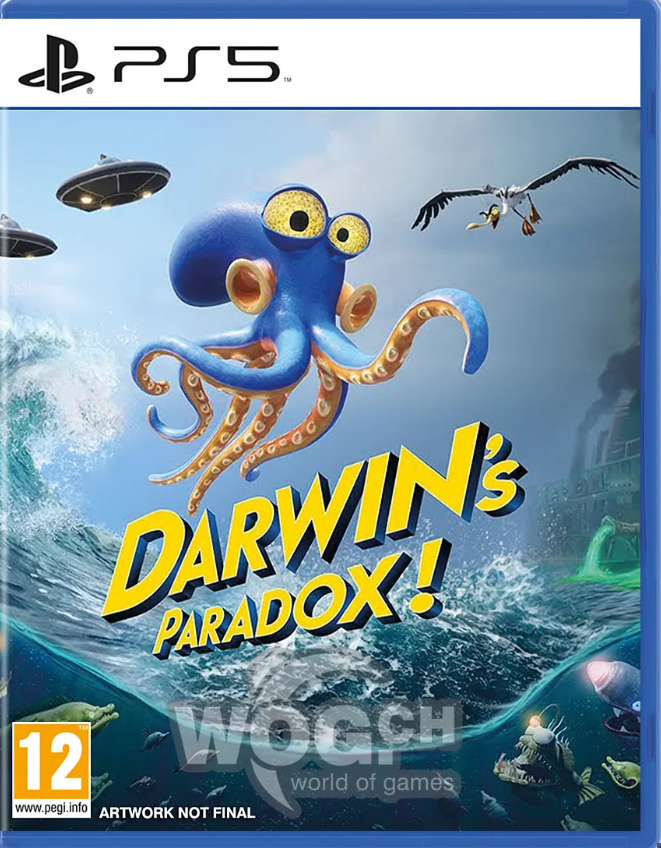
🎮Darwin´s Paradox! PS5 P3 - Online 🔰
Content: text (0 symbol)
Available: 1
Uploaded:
Positive responses: 1
Negative responses: 0
Sold: 2
Refunds: 0
Seller: MaccerichPSN
information about the seller and its items
Loyalty discount! If the total amount of your purchases from the seller more than:
| $100 | the discount is | 3% |
| $250 | the discount is | 5% |
$19.03
!!! TERMS OF PURCHASE!!!
Your account is provided for rent for activation on your console. You gain access to your profile, which includes:
- downloading the game
- playing on your profile for 6 months from the date of activation.
▶️PS5 Platform: Available✅
⏩GAMES
🎮 Darwin´s Paradox! for PS5
Voice:
English
Display languages:
English, Spanish, Italian, Chinese (Simplified), German, Portuguese (Brazil), French (France)
1) On the purchase page, copy the unique 16-character CODE you received to your clipboard.
2) At the bottom of this page, click "CONTACT SELLER."
3) Paste the code from the clipboard into the message and click "SEND MESSAGE."
Send your code as soon as possible. Save my time, and most importantly, YOUR time.
🤔 What is P3?
P3 (with activation) - play on any personal account. To do this, you must activate your console on the account you purchased from us. This applies with or without internet access. Trophies are awarded to your console; do not log into the assigned account until the end of your rental period. Online mode is available with PS+ on your account.
P3 is one of the most cost-effective, and most importantly, long-lasting and reliable purchase options. Your progress, achievements, and rewards are saved to YOUR account, and the cost is often 2-3 times less than the game itself. 😉
Purchasing P3 gives you a 6-month warranty, as well as technical support for the entire period from the date of purchase.
😁 A brief, and most importantly, clear, installation guide 📖
!!!UNIVERSAL INSTRUCTIONS!!!
1. Create a new user:
❖For PS4🎮
Select "Power" ➔ "Change User" ➔ Create a new user (NOT A GUEST!)
❖For PS5🎮
Select ➔ "GET STARTED"! (NOT A GUEST!) ➔ "Accept the license agreement"
❖Then send a photo of the QR code in a message to the seller. If you can´t upload a photo, write the 6-digit code below the QR code.
2. Activation and Sharing:
❖FOR PS4: Offer to change primary system
Very important! Select ➔ "Switch to this PS4 system"
❖FOR PS5: Console Sharing
Very important! Select ➔ "Disable" or "Enable"
3. Downloading the game:
❖Library ➔ Find your game (purchased) ➔ Download (you can check the download status using the "Options" button)
🥳CONGRATULATIONS! You can play ➔ The game is launched from your account.
Your account is provided for rent for activation on your console. You gain access to your profile, which includes:
- downloading the game
- playing on your profile for 6 months from the date of activation.
▶️PS5 Platform: Available✅
⏩GAMES
🎮 Darwin´s Paradox! for PS5
Voice:
English
Display languages:
English, Spanish, Italian, Chinese (Simplified), German, Portuguese (Brazil), French (France)
📢ATTENTION!📢
After making a payment, you will be given a unique 16-character CODE to confirm your payment.1) On the purchase page, copy the unique 16-character CODE you received to your clipboard.
2) At the bottom of this page, click "CONTACT SELLER."
3) Paste the code from the clipboard into the message and click "SEND MESSAGE."
These steps are required and mandatory for EVERYONE!
No further actions will be taken on your purchase until you complete these instructions confirming payment.Send your code as soon as possible. Save my time, and most importantly, YOUR time.
🤔 What is P3?
P3 (with activation) - play on any personal account. To do this, you must activate your console on the account you purchased from us. This applies with or without internet access. Trophies are awarded to your console; do not log into the assigned account until the end of your rental period. Online mode is available with PS+ on your account.
P3 is one of the most cost-effective, and most importantly, long-lasting and reliable purchase options. Your progress, achievements, and rewards are saved to YOUR account, and the cost is often 2-3 times less than the game itself. 😉
Purchasing P3 gives you a 6-month warranty, as well as technical support for the entire period from the date of purchase.
😁 A brief, and most importantly, clear, installation guide 📖
!!!UNIVERSAL INSTRUCTIONS!!!
1. Create a new user:
❖For PS4🎮
Select "Power" ➔ "Change User" ➔ Create a new user (NOT A GUEST!)
❖For PS5🎮
Select ➔ "GET STARTED"! (NOT A GUEST!) ➔ "Accept the license agreement"
❖Then send a photo of the QR code in a message to the seller. If you can´t upload a photo, write the 6-digit code below the QR code.
2. Activation and Sharing:
❖FOR PS4: Offer to change primary system
Very important! Select ➔ "Switch to this PS4 system"
❖FOR PS5: Console Sharing
Very important! Select ➔ "Disable" or "Enable"
3. Downloading the game:
❖Library ➔ Find your game (purchased) ➔ Download (you can check the download status using the "Options" button)
🥳CONGRATULATIONS! You can play ➔ The game is launched from your account.
⏳The average order fulfillment time varies, depending on the workload (or circumstances beyond our control: blackout, internet blocking, etc.) - from now (instantaneously) to 45 minutes. (But no more than 12 hours from the moment of purchase)
⏳Working hours: 09:00-22:00 UTC+2⌛️
⏳If you made a purchase at night (after 22:00 UTC+2), we can place an order the next day⌛️
⚠️Game (account) activation conditions:
-The game is launched from your account (P3)
-This type of product is sold under the activation conditions, and belongs to our service.
- There is no PS Plus subscription on the accounts
(if you have a subscription, it will also apply to our account)
-Any manipulation of the product aimed at taking possession of it or changing the data entails the imposition of a ban on the use
of the product without reimbursement of the remaining funds.
-You cannot transfer the account to third parties.
⚠️Conditions for installing the game (account):
-The account is installed on only one console.
-Play from your account.
-You cannot go to the Sony website, the account is verified and functional (ready to install on the console)
-Account data cannot be changed under any circumstances.
-You can add friends
💵 If the RETURN is made due to your fault or your initiative (wrong region, mixed up the product, did not read the product description, your account is blocked, forgot the data, changed your mind, etc.), the RETURN IS MADE WITH A 20% DEPENDENCE FOR PAYMENT OF THE SITE COMMISSION. If due to the fault of the seller, the refund is made IN FULL. AFTER receiving the goods, no refund is made.
⏳Working hours: 09:00-22:00 UTC+2⌛️
⏳If you made a purchase at night (after 22:00 UTC+2), we can place an order the next day⌛️
⚠️Game (account) activation conditions:
-The game is launched from your account (P3)
-This type of product is sold under the activation conditions, and belongs to our service.
- There is no PS Plus subscription on the accounts
(if you have a subscription, it will also apply to our account)
-Any manipulation of the product aimed at taking possession of it or changing the data entails the imposition of a ban on the use
of the product without reimbursement of the remaining funds.
-You cannot transfer the account to third parties.
⚠️Conditions for installing the game (account):
-The account is installed on only one console.
-Play from your account.
-You cannot go to the Sony website, the account is verified and functional (ready to install on the console)
-Account data cannot be changed under any circumstances.
-You can add friends
💵 If the RETURN is made due to your fault or your initiative (wrong region, mixed up the product, did not read the product description, your account is blocked, forgot the data, changed your mind, etc.), the RETURN IS MADE WITH A 20% DEPENDENCE FOR PAYMENT OF THE SITE COMMISSION. If due to the fault of the seller, the refund is made IN FULL. AFTER receiving the goods, no refund is made.
24.05.2026 13:48:48
Всё работает, быстро. Благодарю.