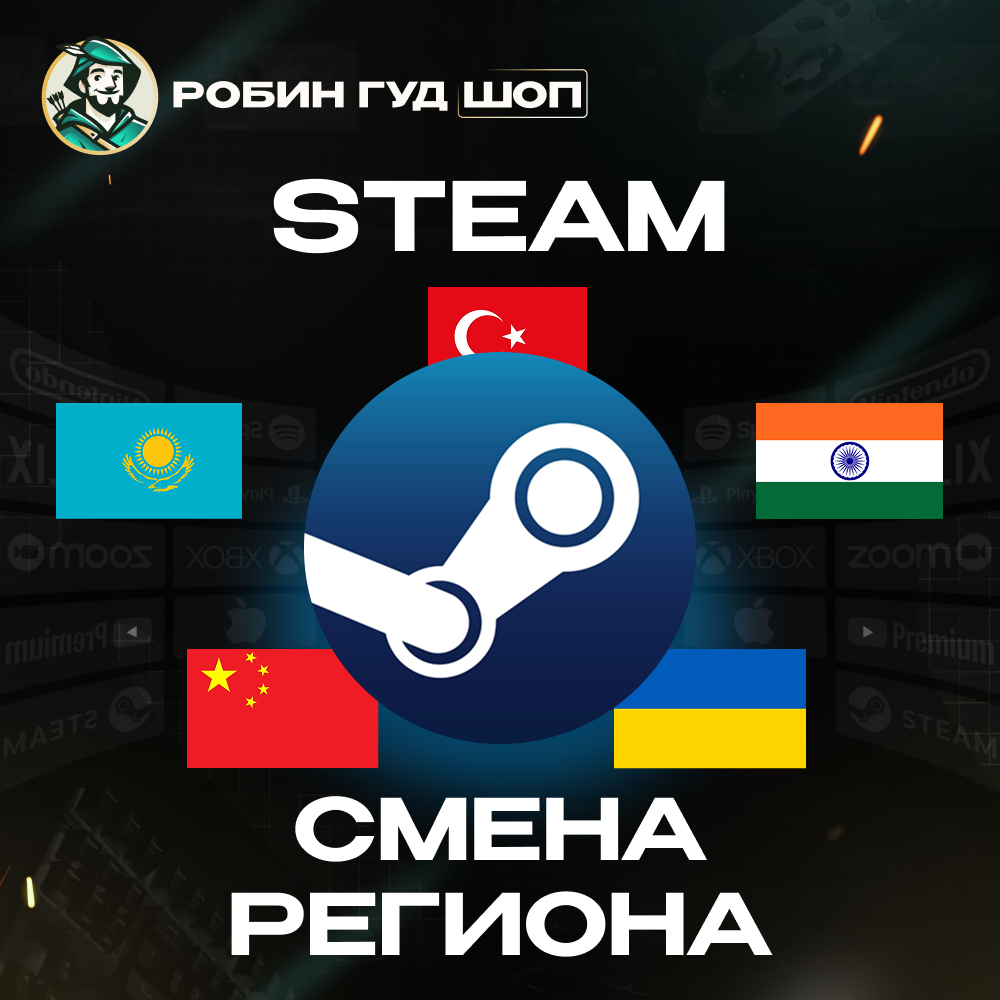
CHANGING STEAM REGION TO KAZAKHSTAN/UKRAINE/CHINA/INDIA/TURKEY
Content: text (0 symbol)
Available: 1
Uploaded:
Positive responses: 0
Negative responses: 0
Sold: 2
Refunds: 0
Seller: Робин Гуд ШОП
information about the seller and its items
Loyalty discount! If the total amount of your purchases from the seller more than:
| $25 | the discount is | 1% |
| $80 | the discount is | 2% |
| $150 | the discount is | 3% |
$7.54


🔒 Reliable seller since 2010
🏆 Over 40,000 successful sales
🤝 More than 1,000 positive reviews
💰 The best prices
🏆 Over 40,000 successful sales
🤝 More than 1,000 positive reviews
💰 The best prices
🌍 ADVANTAGES OF CHANGING REGION IN STEAM:
Region with very low prices for games and in-game currency.
Ability to purchase games that are blocked in Russia.
You can top up your wallet.
Region with very low prices for games and in-game currency.
Ability to purchase games that are blocked in Russia.
You can top up your wallet.
❓ HOW THE REGION CHANGE WORKS:
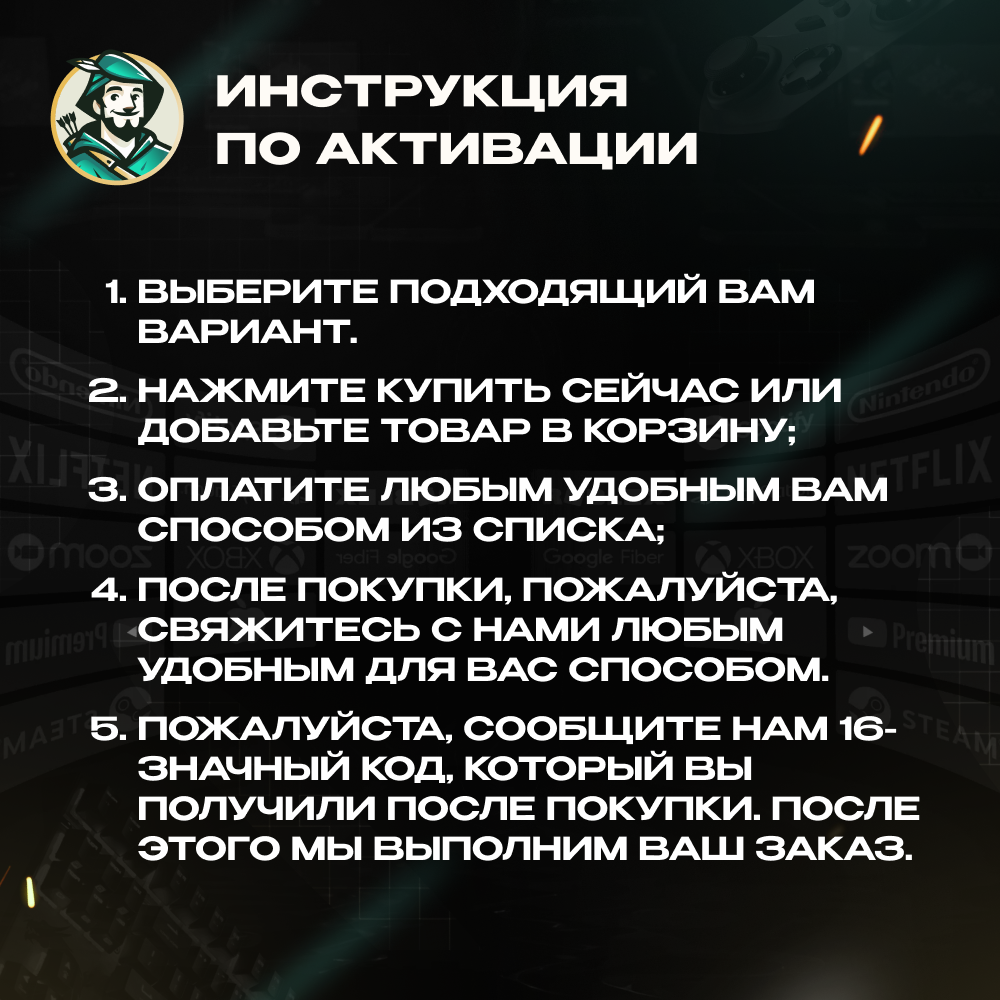
🔹 After purchase, please contact us in any convenient way.
🔹 Please provide the 16-digit code you received after purchase. After that, we will complete your order.
🔹 Send your Steam login and password. After seller response, a Steam Guard code will be required (or email code if email confirmation is enabled)
🔹 We create a virtual card and make a small purchase.
🔹 After the purchase, your account region changes automatically.
🔹 After purchase, please contact us in any convenient way.
🔹 Please provide the 16-digit code you received after purchase. After that, we will complete your order.
🔹 Send your Steam login and password. After seller response, a Steam Guard code will be required (or email code if email confirmation is enabled)
🔹 We create a virtual card and make a small purchase.
🔹 After the purchase, your account region changes automatically.
LOGIN METHODS
🔐 QR Code
— we send you a QR code for login, which you need to scan via the Steam app.
🔐 Account details
— you provide your login and password, then confirm login via Steam Guard or email code.
🔐 Backup code
— login using a Steam Guard backup code. One of the fastest login methods.
🔐 QR Code
— we send you a QR code for login, which you need to scan via the Steam app.
🔐 Account details
— you provide your login and password, then confirm login via Steam Guard or email code.
🔐 Backup code
— login using a Steam Guard backup code. One of the fastest login methods.
❗️ IMPORTANT INFORMATION:
- Steam region change is available once every 3 months
- On new accounts, region change is usually available immediately
- Account balance is converted according to Steam exchange rates
- No need to disable Steam Guard
- After region change, it is recommended not to make purchases or top up balance for at least 24 hours
- Steam region change is available once every 3 months
- On new accounts, region change is usually available immediately
- Account balance is converted according to Steam exchange rates
- No need to disable Steam Guard
- After region change, it is recommended not to make purchases or top up balance for at least 24 hours
⚠️ Important: if your email uses a .ru domain (e.g., mail.ru, yandex.ru, rambler.ru, etc.), you must change it to an international domain like .com — for example, gmail.com. This is required for proper operation and to avoid possible restrictions.
❌ WHAT YOU MUST NOT DO AFTER REGION CHANGE (ESPECIALLY DURING THE FIRST 72 HOURS):
❗️ After changing the region in Steam, it is critically important to avoid any sudden actions for 3–7 days. The first 72 hours are the most sensitive period.
During this time, it is NOT recommended to:
- Change your password or any account details (email, Steam Guard, password, etc.)
- Top up your Steam balance by any method (cards, codes, skins, login top-ups, etc.)
- Make purchases in Steam (games, DLC, in-game currency, etc.)
- Accept gifts
- Refund the purchase used for the region change (this is prohibited)
⚠️ After 72 hours:
- It is not recommended to immediately top up large amounts
- It is better to start with small purchases and gradually increase activity.
❗️ After changing the region in Steam, it is critically important to avoid any sudden actions for 3–7 days. The first 72 hours are the most sensitive period.
During this time, it is NOT recommended to:
- Change your password or any account details (email, Steam Guard, password, etc.)
- Top up your Steam balance by any method (cards, codes, skins, login top-ups, etc.)
- Make purchases in Steam (games, DLC, in-game currency, etc.)
- Accept gifts
- Refund the purchase used for the region change (this is prohibited)
⚠️ After 72 hours:
- It is not recommended to immediately top up large amounts
- It is better to start with small purchases and gradually increase activity.
✅ WHAT YOU CAN DO AFTER REGION CHANGE
- Use a VPN with the region your account was changed to for future purchases
- Make purchases and top up your balance after 72 hours
- Use a VPN with the region your account was changed to for future purchases
- Make purchases and top up your balance after 72 hours
⏰ Support working hours (MSK):
🔖Mon - Fri: 10:00 - 19:00
🔖Sat - Sun: 11:00 - 12:00
🔖Mon - Fri: 10:00 - 19:00
🔖Sat - Sun: 11:00 - 12:00
💬 If something is unclear or you have any questions — contact us via chat. We will respond during working hours and обязательно help you. Please do not rush to leave negative feedback, we value every customer and are always ready to resolve any issues!
How to get the code? 🤔
🔹 After the purchase, please contact us in any way convenient for you.
🔹 Please let us know the 16-digit code that you received after purchase. After that, we will fulfill your order.
🔹 After the purchase, please contact us in any way convenient for you.
🔹 Please let us know the 16-digit code that you received after purchase. After that, we will fulfill your order.
📌POPULAR CHOICES:
🌍 GLOBAL — ❤️🔥🍑🍆 TINDER GOLD 1 MONTH ⚡️24/7
https://top.steamkeygift.ru/item/3476534
🔴 TURKEY — 🍎 APPLE / ITUNES / APP STORE 10–1500 TL ⚡️24/7
https://top.steamkeygift.ru/item/4366927
🔵 USA — 🍎 APPLE / ITUNES / APP STORE 2–500$ ⚡️24/7
https://top.steamkeygift.ru/item/4396500
🔴 TURKEY — 📱 GOOGLE PLAY 25–1000 TRY ⚡️24/7
https://top.steamkeygift.ru/item/4394225
🌍 GLOBAL — 👑 PAYMENT CARD US/EU 5–500$ ⚡️24/7
https://plati.io/itm/rewarble-voucher-5-500-payment-everywhere-24-7/4633007
🔵 USA — 🍄🧱 NINTENDO ESHOP CARD 10–50$ ⚡️24/7
https://top.steamkeygift.ru/item/4379844
🌍 GLOBAL — ❤️🔥🍑🍆 TINDER GOLD 1 MONTH ⚡️24/7
https://top.steamkeygift.ru/item/3476534
🔴 TURKEY — 🍎 APPLE / ITUNES / APP STORE 10–1500 TL ⚡️24/7
https://top.steamkeygift.ru/item/4366927
🔵 USA — 🍎 APPLE / ITUNES / APP STORE 2–500$ ⚡️24/7
https://top.steamkeygift.ru/item/4396500
🔴 TURKEY — 📱 GOOGLE PLAY 25–1000 TRY ⚡️24/7
https://top.steamkeygift.ru/item/4394225
🌍 GLOBAL — 👑 PAYMENT CARD US/EU 5–500$ ⚡️24/7
https://plati.io/itm/rewarble-voucher-5-500-payment-everywhere-24-7/4633007
🔵 USA — 🍄🧱 NINTENDO ESHOP CARD 10–50$ ⚡️24/7
https://top.steamkeygift.ru/item/4379844
😍 We offer the best prices combined with transaction reliability.
😍 We provide a guarantee for every product and answer all questions.
😍 Your trusted seller with a 5.0 rating and many years of experience on other platforms.
😍 We provide a guarantee for every product and answer all questions.
😍 Your trusted seller with a 5.0 rating and many years of experience on other platforms.
Full catalog of our products:
https://top.steamkeygift.ru/seller/141019
https://top.steamkeygift.ru/seller/141019
⏰ Support working hours (MSK):
🔖Mon – Fri: 10:00 – 19:00
🔖Sat – Sun: 11:00 – 12:00
Thank you for using Robin Hood SHOP! 💚
🔖Mon – Fri: 10:00 – 19:00
🔖Sat – Sun: 11:00 – 12:00
Thank you for using Robin Hood SHOP! 💚
No feedback yet