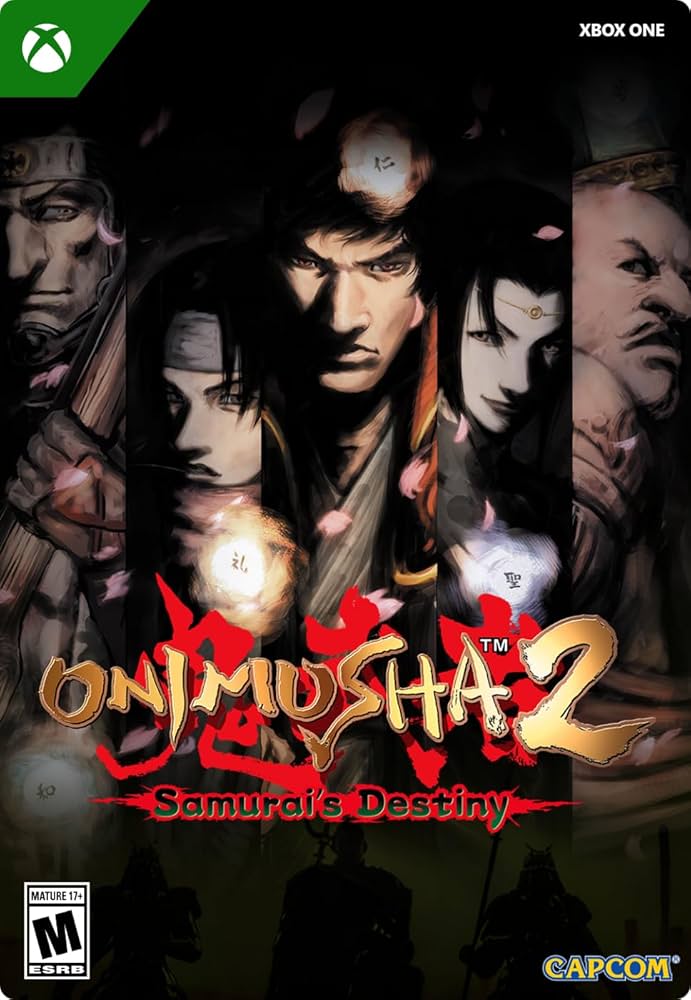
ONIMUSHA 2: SAMURAI´S DESTINY XBOX ONE SERIES X/S KEY
Content: text (0 symbol)
Available: 1
Uploaded: 18.02.2026
Positive responses: 0
Negative responses: 0
Sold: 0
Refunds: 0
$28.55
After payment, you will automatically receive:
🔑 Code: Onimusha 2: Samurai´s Destiny. 🔥
📧 A link to the product page and instructions will be sent to the email address you provided during purchase.
Supported platforms:
✅Xbox One🎮💥
✅Xbox Series S|X🎮🔥
Russian language support: Interface: Yes ✅ | Voiceover: No ⚠️ | Subtitles: Yes ✅
📦Product type: 🕹️ GAME 🎮
🗓️Release date: May 23, 2025
📜Description:
REGION KEY CANADA
Control your destiny.
Onimusha 2: Samurai´s Destiny returns with improved graphics and updated controls, making counterswinging with your sword even more intuitive in intense battles. Play as Jubei Yagyu and journey through feudal Japan with your allies. The game supports additional languages.
What´s new in this edition:
– New "Gallery" mode featuring over 100 concept art pieces by character designer Keita Amemiya.
– A new compilation featuring all 43 tracks from the original Onimusha 2: Samurai´s Destiny soundtrack.
– "Hell" difficulty level.
– The "Man in Black," "Oni Team," and "Mystery of the Phantom Dimension" minigames are now available from the start of the game.
– Autosave and convenient weapon switching make the game even more enjoyable.
You can also obtain a special costume for Jubei if you have Onimusha: Warlords saves. To change Jubei´s costume, select "Extras" → "Jubei Costume" from the main screen menu and switch from "Normal" to "Special." This will only affect the appearance; your stats will depend on the armor type.
This content can also be purchased as part of the Onimusha Bundle. (Purchase this bundle before June 30, 2025, to receive an early purchase bonus!)
*Please review the contents of your previously purchased content to avoid making duplicate purchases.
©CAPCOM
ONIMUSHA is a trademark and/or registered trademark of CAPCOM CO., LTD and/or its subsidiaries in the U.S. and/or other countries.
🎭Genre: Action & Adventure | 💾Size: 20.2 GB
👨💻🛠️👩💻Developer: CAPCOM CO., LTD.
✅ This product remains within your Microsoft account!
✅ After activating the key, the product will be accessible from any region.
🌏For successful activation, your IP address must match the region of the key.🌏
💡You will receive all the tools for successful activation, as well as very detailed instructions📚
✅📱💻Preliminary familiarization with the key activation method via phone or computer:
1️⃣. ⚠️Go to account.microsoft.com/profile and set the region specified with the key.⚠️
2️⃣. ❗Your IP address must match the country of the key.
3. Go to xbox.com/en-US/redeem and activate the key.
4. If you encounter an activation error, carefully read the INSTRUCTIONS FOR USE on your order page.
5. Ready to download, enjoy your purchase.
🚨If the desired product doesn´t appear in your library after successfully activating the key, you need to go to your console settings and change the region to the one specified with the key. Then go to the store, find the product, and instead of the "buy" button, you´ll see the "install" button.
🔑 Code: Onimusha 2: Samurai´s Destiny. 🔥
📧 A link to the product page and instructions will be sent to the email address you provided during purchase.
Supported platforms:
✅Xbox One🎮💥
✅Xbox Series S|X🎮🔥
Russian language support: Interface: Yes ✅ | Voiceover: No ⚠️ | Subtitles: Yes ✅
📦Product type: 🕹️ GAME 🎮
🗓️Release date: May 23, 2025
📜Description:
REGION KEY CANADA
Control your destiny.
Onimusha 2: Samurai´s Destiny returns with improved graphics and updated controls, making counterswinging with your sword even more intuitive in intense battles. Play as Jubei Yagyu and journey through feudal Japan with your allies. The game supports additional languages.
What´s new in this edition:
– New "Gallery" mode featuring over 100 concept art pieces by character designer Keita Amemiya.
– A new compilation featuring all 43 tracks from the original Onimusha 2: Samurai´s Destiny soundtrack.
– "Hell" difficulty level.
– The "Man in Black," "Oni Team," and "Mystery of the Phantom Dimension" minigames are now available from the start of the game.
– Autosave and convenient weapon switching make the game even more enjoyable.
You can also obtain a special costume for Jubei if you have Onimusha: Warlords saves. To change Jubei´s costume, select "Extras" → "Jubei Costume" from the main screen menu and switch from "Normal" to "Special." This will only affect the appearance; your stats will depend on the armor type.
This content can also be purchased as part of the Onimusha Bundle. (Purchase this bundle before June 30, 2025, to receive an early purchase bonus!)
*Please review the contents of your previously purchased content to avoid making duplicate purchases.
©CAPCOM
ONIMUSHA is a trademark and/or registered trademark of CAPCOM CO., LTD and/or its subsidiaries in the U.S. and/or other countries.
🎭Genre: Action & Adventure | 💾Size: 20.2 GB
👨💻🛠️👩💻Developer: CAPCOM CO., LTD.
✅ This product remains within your Microsoft account!
✅ After activating the key, the product will be accessible from any region.
🌏For successful activation, your IP address must match the region of the key.🌏
💡You will receive all the tools for successful activation, as well as very detailed instructions📚
✅📱💻Preliminary familiarization with the key activation method via phone or computer:
1️⃣. ⚠️Go to account.microsoft.com/profile and set the region specified with the key.⚠️
2️⃣. ❗Your IP address must match the country of the key.
3. Go to xbox.com/en-US/redeem and activate the key.
4. If you encounter an activation error, carefully read the INSTRUCTIONS FOR USE on your order page.
5. Ready to download, enjoy your purchase.
🚨If the desired product doesn´t appear in your library after successfully activating the key, you need to go to your console settings and change the region to the one specified with the key. Then go to the store, find the product, and instead of the "buy" button, you´ll see the "install" button.
No feedback yet