The Sims 4 Businesses & Hobbies Expansion Pack XBOX ONE SERIES DLC KEY
Content: text (0 symbol)
Available: 1
Uploaded: 10.05.2026
Positive responses: 0
Negative responses: 0
Sold: 1
Refunds: 0
$27.13
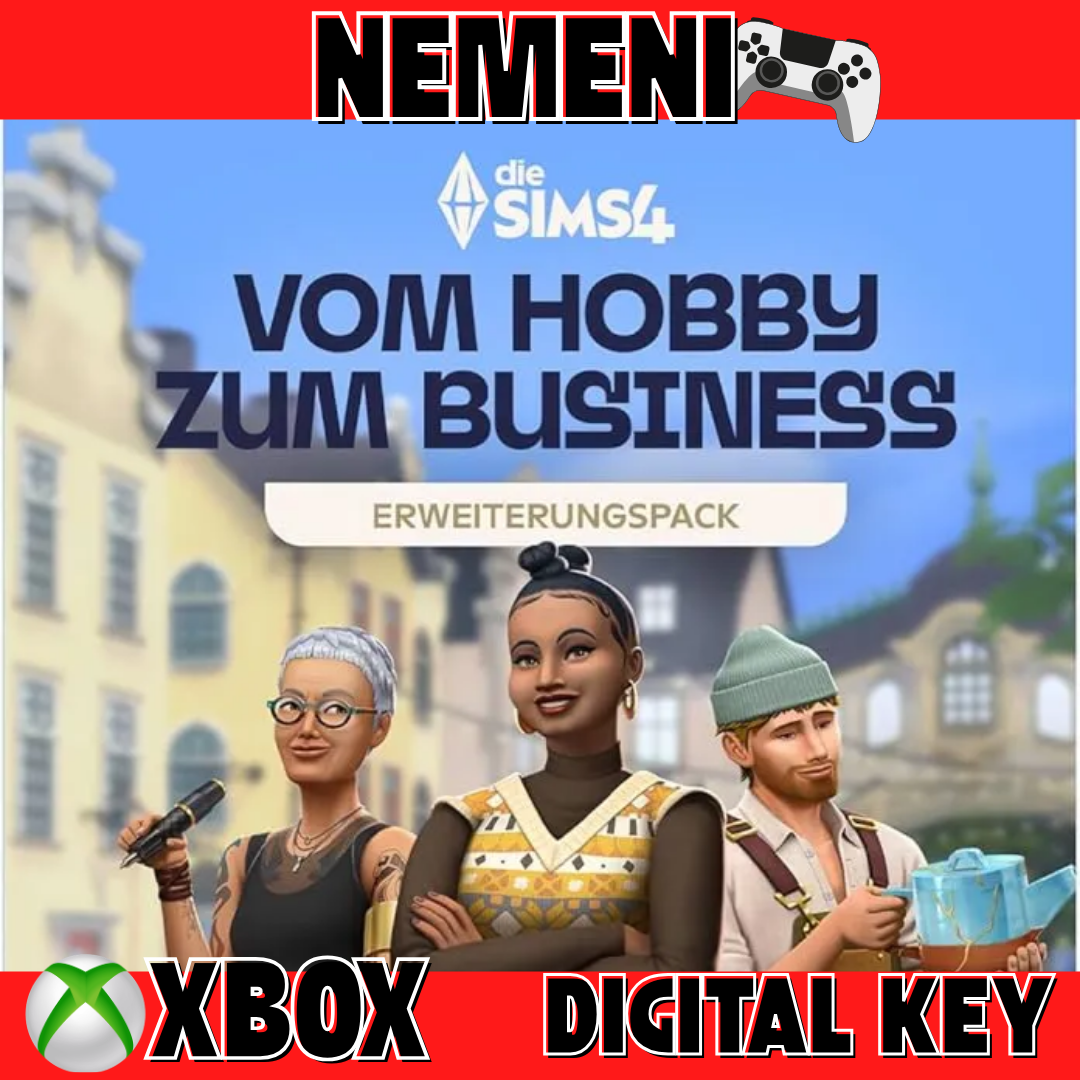
💎After payment, you will receive a license key to activate The Sims 4 Businesses & Hobbies Expansion Pack💎
❗❗❗Detailed activation instructions will be available immediately after payment in the "Product Instructions" section.❗❗❗
💯You can download games in any region, anytime, in all available languages.👍
🤑 OVER 30 PAYMENT METHODS - LAVA, BINANCEPAY, WebMoney, Qiwi, ALL Cards, and more.🤑
🔑You will receive the key in your personal account at http://www.oplata.info
📧A link to the key page will also be sent to the email address you provided during purchase.📧
💪Activation occurs ON YOUR ACCOUNT - with the USA REGION.🌏
🌏For activation A key is required to connect to the USA🌏
⭐️After activating the game, THERE ARE NO REGIONAL RESTRICTIONS⭐️
👌Games are permanently associated with your Microsoft account👌
😶NO REFUNDS WILL BE PROVIDED for reasons such as: didn´t see, didn´t know, or didn´t understand.😶
🧐If you have any questions, please contact us via chat BEFORE PURCHASE🧐
📌Platforms - Xbox Series X|S / Xbox One📌
🎮ANY GAME TO ORDER🎮
🔥Description🔥:
❗Additional Content ➕ (DLC) ➕ | Requires the game❗
Learn new skills and live a successful life in The Sims™ 4 Best Beloved Expansion Pack*.
Key Features:
Open your dream business. Dream big and create a small business to keep your Sims satisfied. Designate a space in your home to earn a living from your passion, or purchase a new lot for a small business.
Leave Your Mark. As your skill level increases, you´ll unlock more templates and stencils. Now you can create your own designs in Tattoo Design mode. Tattoos can be layered. Share your tattoo designs with other players in the Gallery or search for tattoos in-game.
Sculpt Your Future. Master the Pottery skill on a pottery wheel and you can create functional tea sets, planters, incense holders, and much more. Finish your creations in the kiln.
A World of Possibilities. Build your future in a town rich in history. In Nordhaven, Sims can attend hobby meetups and socialize. Hobbies are best shared with others, so explore Gammelvik and Iverstad to meet like-minded people!
📌If your account is in Russia, Belarus, Ukraine, or Kazakhstan, you need to change your account region
to the key region during activation.
Link to change: https://account.microsoft.com/profile
❗❗❗Detailed activation instructions will be available immediately after payment in the "Product Instructions" section.❗❗❗
💯You can download games in any region, anytime, in all available languages.👍
🤑 OVER 30 PAYMENT METHODS - LAVA, BINANCEPAY, WebMoney, Qiwi, ALL Cards, and more.🤑
🔑You will receive the key in your personal account at http://www.oplata.info
📧A link to the key page will also be sent to the email address you provided during purchase.📧
💪Activation occurs ON YOUR ACCOUNT - with the USA REGION.🌏
🌏For activation A key is required to connect to the USA🌏
⭐️After activating the game, THERE ARE NO REGIONAL RESTRICTIONS⭐️
👌Games are permanently associated with your Microsoft account👌
😶NO REFUNDS WILL BE PROVIDED for reasons such as: didn´t see, didn´t know, or didn´t understand.😶
🧐If you have any questions, please contact us via chat BEFORE PURCHASE🧐
📌Platforms - Xbox Series X|S / Xbox One📌
🎮ANY GAME TO ORDER🎮
🔥Description🔥:
❗Additional Content ➕ (DLC) ➕ | Requires the game❗
Learn new skills and live a successful life in The Sims™ 4 Best Beloved Expansion Pack*.
Key Features:
Open your dream business. Dream big and create a small business to keep your Sims satisfied. Designate a space in your home to earn a living from your passion, or purchase a new lot for a small business.
Leave Your Mark. As your skill level increases, you´ll unlock more templates and stencils. Now you can create your own designs in Tattoo Design mode. Tattoos can be layered. Share your tattoo designs with other players in the Gallery or search for tattoos in-game.
Sculpt Your Future. Master the Pottery skill on a pottery wheel and you can create functional tea sets, planters, incense holders, and much more. Finish your creations in the kiln.
A World of Possibilities. Build your future in a town rich in history. In Nordhaven, Sims can attend hobby meetups and socialize. Hobbies are best shared with others, so explore Gammelvik and Iverstad to meet like-minded people!
📌If your account is in Russia, Belarus, Ukraine, or Kazakhstan, you need to change your account region
to the key region during activation.
Link to change: https://account.microsoft.com/profile
😉If you are unable or unwilling to activate the key on your account, we are ready to take on this task! Use the offered service for the convenience of activating the key for you.https://top.steamkeygift.ru/item/3253300
No feedback yet