🎮 Mount & Blade II: War Sails — DLC | P2 / P3 account
Content: text (0 symbol)
Available: 1
Uploaded:
Positive responses: 0
Negative responses: 0
Sold: 0
Refunds: 0
Seller: sweart2015
information about the seller and its items
Loyalty discount! If the total amount of your purchases from the seller more than:
| $100 | the discount is | 5% |
$20.48
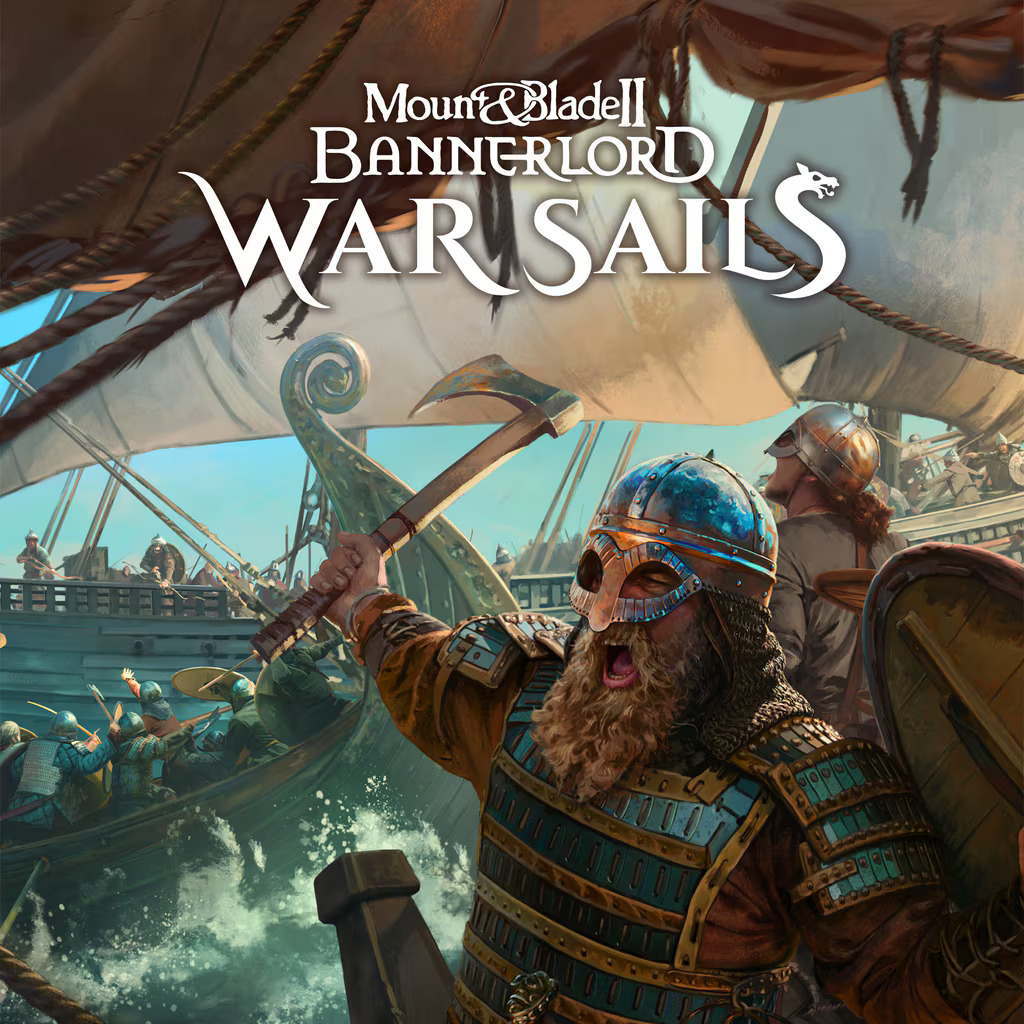
Naval battles, new factions and expanded content for Bannerlord.
War Sails brings fresh mechanics and large-scale sea combat ⚔️🌊
📦 What this is:
— DLC War Sails ONLY
— base game Mount & Blade II: Bannerlord required
— P2 / P3 format
🔒 Important:
• this is an expansion, not the full game
• not a key
• no permanent account transfer
• account data stays unchanged
🛠 Support:
— step-by-step activation guide
— help during activation
— available after purchase
✉ Message BEFORE buying —
I’ll check base game ownership and compatibility.
✔ Honest | Straightforward | No nonsense
War Sails brings fresh mechanics and large-scale sea combat ⚔️🌊
📦 What this is:
— DLC War Sails ONLY
— base game Mount & Blade II: Bannerlord required
— P2 / P3 format
🔒 Important:
• this is an expansion, not the full game
• not a key
• no permanent account transfer
• account data stays unchanged
🛠 Support:
— step-by-step activation guide
— help during activation
— available after purchase
✉ Message BEFORE buying —
I’ll check base game ownership and compatibility.
✔ Honest | Straightforward | No nonsense
P3
⚠️ IMPORTANT:
Launching the game from an ISSUED account is prohibited!
📛 In this case, your account may be blocked.
You must play only from your personal profile.
👇🏻 LOGIN WITH YOUR PERSONAL PROFILE 👇🏻
1️⃣ Log in as a new user (not "Guest")
→ Click "Get Started" → Create/Add User
2️⃣ A QR code will appear on the screen:
🔹 Write the 6 digits below the QR code
🔹 Send a full screenshot
🔹 Stay on the screen with the QR code
3️⃣ My account will appear → Click "Log in"
🔧 SETTINGS AFTER LOGGING IN:
▶️ PS4:
Settings → Account Management
→ Activate as Primary → Activate
▶️ PS5:
Settings → Users and Accounts
→ Other → Sharing and Offline Play
→ Enable
📸 Follow these steps immediately after signing in!
🎮 Where to find the game:
📂 Library →
▪️ "Purchased" (on PS4)
▪️ Or: "Your Collection" (on PS5)
📦 You can also find the game in the PS Store
🔁 Next steps:
✅ After starting the installation,
switch to YOUR profile and play from it.
📌 You can track the download directly from your account.
Item 8🔒 If games are locked on your profile:
→ Return to the assigned account and check the activation/access section (see Settings after signing in).
⚠️ NOT RECOMMENDED
✖️ Change account information
✖️ Delete your account (games will disappear)
✖️ Click "Log out" or sign out of the network.
🕒 Important:
Check Activation (on PS4) or general access (on PS5) within the first 5 minutes.
After that, no claims will be accepted.
P2
🎮 LOGIN INSTRUCTIONS (via the provided profile)
1️⃣ Log in using a new user (not "Guest")
👉 Click "Get Started" → Create/Add User
2️⃣ A QR code will appear on the screen:
🔹 Write the 6 digits below the QR code
🔹 Send a full screenshot
🔹 Wait on the screen with the QR code
3️⃣ Our account will appear → click "Log in"
4️⃣ Game in Library → Purchased (Your Collection) or PS Store → Game Title
5️⃣ Play only with this account
🚫 Prohibited:
✖️ Change data
✖️ Delete account
✖️ Log out (Otherwise, access will be lost)
🔐 After signing in, MANDATORY (10 minutes to complete):
🔹 PS4:
Settings → Account Management
→ Activate as Primary → Deactivate
📷 Send a photo
🔹 PS5:
Settings → Users → Other
→ Sharing & Offline Play → Deactivate
📷 Send a photo
⚠️ If you don´t send a photo, access will be revoked
⚠️ IMPORTANT:
Launching the game from an ISSUED account is prohibited!
📛 In this case, your account may be blocked.
You must play only from your personal profile.
👇🏻 LOGIN WITH YOUR PERSONAL PROFILE 👇🏻
1️⃣ Log in as a new user (not "Guest")
→ Click "Get Started" → Create/Add User
2️⃣ A QR code will appear on the screen:
🔹 Write the 6 digits below the QR code
🔹 Send a full screenshot
🔹 Stay on the screen with the QR code
3️⃣ My account will appear → Click "Log in"
🔧 SETTINGS AFTER LOGGING IN:
▶️ PS4:
Settings → Account Management
→ Activate as Primary → Activate
▶️ PS5:
Settings → Users and Accounts
→ Other → Sharing and Offline Play
→ Enable
📸 Follow these steps immediately after signing in!
🎮 Where to find the game:
📂 Library →
▪️ "Purchased" (on PS4)
▪️ Or: "Your Collection" (on PS5)
📦 You can also find the game in the PS Store
🔁 Next steps:
✅ After starting the installation,
switch to YOUR profile and play from it.
📌 You can track the download directly from your account.
Item 8🔒 If games are locked on your profile:
→ Return to the assigned account and check the activation/access section (see Settings after signing in).
⚠️ NOT RECOMMENDED
✖️ Change account information
✖️ Delete your account (games will disappear)
✖️ Click "Log out" or sign out of the network.
🕒 Important:
Check Activation (on PS4) or general access (on PS5) within the first 5 minutes.
After that, no claims will be accepted.
P2
🎮 LOGIN INSTRUCTIONS (via the provided profile)
1️⃣ Log in using a new user (not "Guest")
👉 Click "Get Started" → Create/Add User
2️⃣ A QR code will appear on the screen:
🔹 Write the 6 digits below the QR code
🔹 Send a full screenshot
🔹 Wait on the screen with the QR code
3️⃣ Our account will appear → click "Log in"
4️⃣ Game in Library → Purchased (Your Collection) or PS Store → Game Title
5️⃣ Play only with this account
🚫 Prohibited:
✖️ Change data
✖️ Delete account
✖️ Log out (Otherwise, access will be lost)
🔐 After signing in, MANDATORY (10 minutes to complete):
🔹 PS4:
Settings → Account Management
→ Activate as Primary → Deactivate
📷 Send a photo
🔹 PS5:
Settings → Users → Other
→ Sharing & Offline Play → Deactivate
📷 Send a photo
⚠️ If you don´t send a photo, access will be revoked
No feedback yet