Apeaksoft MobieTrans | License Key Code. Transfer data between iOS, Android, and PC.
Content: text (0 symbol)
Available: 13
Uploaded: 12.01.2026
Positive responses: 0
Negative responses: 0
Sold: 0
Refunds: 0
$14.47

🔥 Buy a license ✔️ Apeaksoft MobieTrans ✔️ very cheap, with a discount.
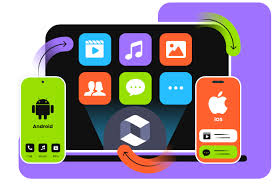
This tool transfers files and manages data between Android or iOS devices via a Windows PC. Transferring data between iOS and Android devices is a complex task. Apeaksoft MobieTrans can create an invisible highway for transferring photos, music, videos, contacts, and messages between iOS, Android devices, and PCs.
Apeaksoft MobieTrans lets you easily manage your smartphone´s data on your computer. You can conveniently add, delete, transfer, rename phone files, and clear duplicate phone contacts from your Windows computer.
⏱️ Instant delivery! ✔️ 100% Guarantee.
💰 Discount for regular customers! Cashback for positive reviews.
💬 Support in case of problems or questions.
📌 Unique KEY, NOT reusable, can only be activated once.
Activate within 14 days of purchase; no claims will be accepted after that.
Complete management of your data
MobieTrans lets you easily manage your phone´s data on your computer. You can add, delete, move, rename, and edit phone file information and remove duplicate phone contacts on your computer. It´s also easy to create photo albums and music/video playlists and add/remove items from them.
With MobieTrans, you can easily organize your files and delete unnecessary ones to free up space on your iPhone and Android phone.
Adding Data
Add a new photo album or photos to an album.
Add music folders and music to a playlist.
Add contacts to groups.
Exporting
Export photos, videos, music, contacts, and SMS to your computer.
Export photos, videos, music, and contacts to your device.
Export music or video playlists and photo albums to another device.
Exclude Duplicates
Find duplicates by categories and automatically delete them.
Merge duplicate contacts.
Delete
Delete photos, music, playlists, videos, contacts, and contact groups. Free up more space on your iPhone or Android smartphone.
Contacts Backup and Restore
Backup your entire contact list to your PC and restore it at any time. This way, you can sync your contacts without using cloud services. Eliminate the risk of data loss or leakage.
HEIC Converter
Batch convert HEIC photos to JPG or PNG for easy sharing and editing. Preserve EXIF metadata, including timestamps, camera settings, and more. This allows you to view HEIC photos on third-party devices.
Ringer Maker
Create a unique ringtone directly from your favorite song or audio recording. You can trim the audio and extract any part from a video or audio file. You can later customize the ringtone for calls, alarms, and notifications.
Apeaksoft MobieTrans is a convenient solution for Windows users that allows you to quickly and securely transfer data between mobile devices and your computer. The program supports iOS and Android, does not require iTunes, and offers additional tools for content management.
This tool transfers files and manages data between Android or iOS devices via a Windows PC. Transferring data between iOS and Android devices is a complex task. Apeaksoft MobieTrans can create an invisible highway for transferring photos, music, videos, contacts, and messages between iOS, Android devices, and PCs.
A 1-year Apeaksoft MobieTrans license is available for purchase here.
Original. Official.
Global key for any country - key global.
The latest version is suitable; download it from the official website and activate the license you purchased here.
Supported operating systems: Windows 11 / 10 / 8.1 / 8 / 7 / Vista / XP
Copying data between iPhones, iPads, iPods, and Android smartphones always takes a very long time. The developers of Apeaksoft MobieTrans for Windows have made it possible to transfer any data, such as photos, music, videos, contacts, SMS, and more, between your Apple iOS devices and a computer without iTunes, as well as Android phones.Original. Official.
Global key for any country - key global.
The latest version is suitable; download it from the official website and activate the license you purchased here.
Supported operating systems: Windows 11 / 10 / 8.1 / 8 / 7 / Vista / XP
Apeaksoft MobieTrans lets you easily manage your smartphone´s data on your computer. You can conveniently add, delete, transfer, rename phone files, and clear duplicate phone contacts from your Windows computer.
⏱️ Instant delivery! ✔️ 100% Guarantee.
💰 Discount for regular customers! Cashback for positive reviews.
💬 Support in case of problems or questions.
📌 Unique KEY, NOT reusable, can only be activated once.
Activate within 14 days of purchase; no claims will be accepted after that.
Complete management of your data
MobieTrans lets you easily manage your phone´s data on your computer. You can add, delete, move, rename, and edit phone file information and remove duplicate phone contacts on your computer. It´s also easy to create photo albums and music/video playlists and add/remove items from them.
With MobieTrans, you can easily organize your files and delete unnecessary ones to free up space on your iPhone and Android phone.
Adding Data
Add a new photo album or photos to an album.
Add music folders and music to a playlist.
Add contacts to groups.
Exporting
Export photos, videos, music, contacts, and SMS to your computer.
Export photos, videos, music, and contacts to your device.
Export music or video playlists and photo albums to another device.
Exclude Duplicates
Find duplicates by categories and automatically delete them.
Merge duplicate contacts.
Delete
Delete photos, music, playlists, videos, contacts, and contact groups. Free up more space on your iPhone or Android smartphone.
Contacts Backup and Restore
Backup your entire contact list to your PC and restore it at any time. This way, you can sync your contacts without using cloud services. Eliminate the risk of data loss or leakage.
HEIC Converter
Batch convert HEIC photos to JPG or PNG for easy sharing and editing. Preserve EXIF metadata, including timestamps, camera settings, and more. This allows you to view HEIC photos on third-party devices.
Ringer Maker
Create a unique ringtone directly from your favorite song or audio recording. You can trim the audio and extract any part from a video or audio file. You can later customize the ringtone for calls, alarms, and notifications.
Apeaksoft MobieTrans is a convenient solution for Windows users that allows you to quickly and securely transfer data between mobile devices and your computer. The program supports iOS and Android, does not require iTunes, and offers additional tools for content management.
Add to bookmarks and visit our store ➡️ https://top.steamkeygift.ru/seller/147467 ✔️
All products are tested, working, guaranteed. We have been working on the site since 2010.
✍🏻Please leave a review, we will be pleased;)
All products are tested, working, guaranteed. We have been working on the site since 2010.
✍🏻Please leave a review, we will be pleased;)
No feedback yet