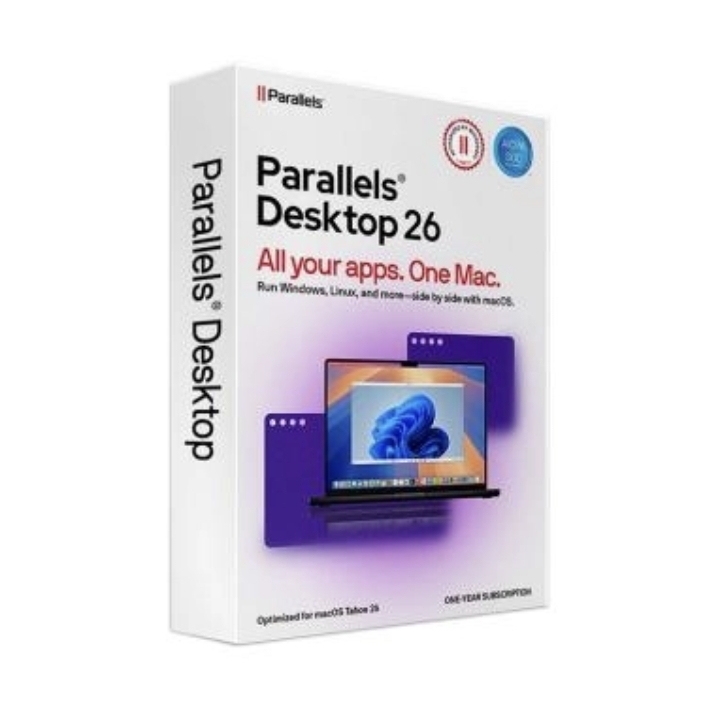
Parallels Desktop 26 💯Official key
Content: text (0 symbol)
Available: 1
Uploaded: 17.04.2026
Positive responses: 1
Negative responses: 0
Sold: 3
Refunds: 0
$62.7

🔥 Parallels Desktop — PRO & STANDARD licenses 🔥
Run Windows on your Mac fast, smoothly, and without any hassle 💻🍏
Compatible with Intel and Apple Silicon (M1 / M2 / M3) 🚀
📦 Choose your plan:
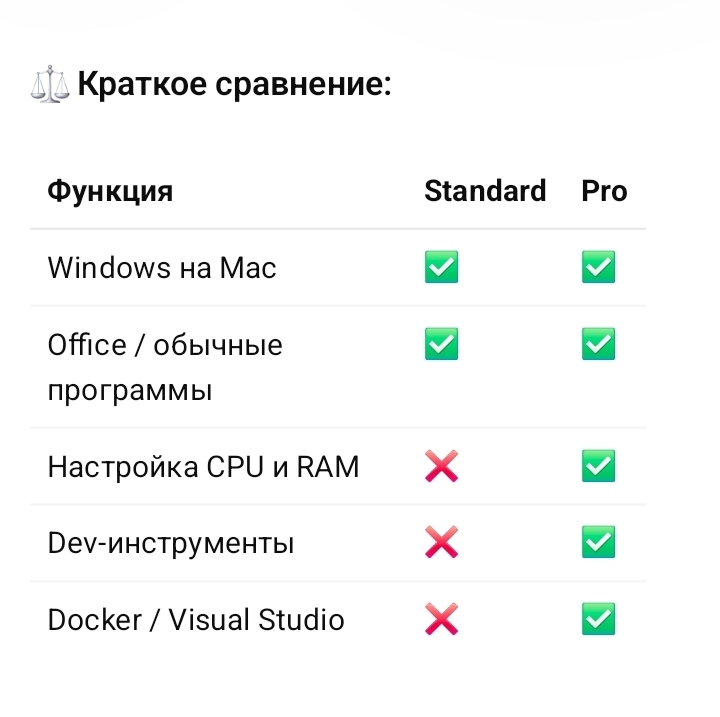
🔹 Parallels Desktop STANDARD
✅ For home and everyday use
— Run Windows, Linux, ChromeOS
— Perfect for Office, browsing, and regular apps
— Easy installation and excellent stability
💡 Great if you need Windows “just to work” without complications
🔹 Parallels Desktop PRO
🔥 For developers and advanced users
— Includes everything from Standard
— Supports Visual Studio, Docker, Android Studio
— Advanced CPU / RAM configuration
— Tools for virtual networks and development workflows
💡 Ideal for developers, testers, and IT professionals
🔐 What you get:
✔️ Official license key
✔️ Unlimited activation
✔️ Fast key delivery
✔️ Installation help if needed 🤝
💰 The price is friendly 😉
Run Windows on your Mac fast, smoothly, and without any hassle 💻🍏
Compatible with Intel and Apple Silicon (M1 / M2 / M3) 🚀
📦 Choose your plan:
🔹 Parallels Desktop STANDARD
✅ For home and everyday use
— Run Windows, Linux, ChromeOS
— Perfect for Office, browsing, and regular apps
— Easy installation and excellent stability
💡 Great if you need Windows “just to work” without complications
🔹 Parallels Desktop PRO
🔥 For developers and advanced users
— Includes everything from Standard
— Supports Visual Studio, Docker, Android Studio
— Advanced CPU / RAM configuration
— Tools for virtual networks and development workflows
💡 Ideal for developers, testers, and IT professionals
🔐 What you get:
✔️ Official license key
✔️ Unlimited activation
✔️ Fast key delivery
✔️ Installation help if needed 🤝
💰 The price is friendly 😉
🔑 How to Activate a Parallels Desktop Key
1️⃣ Install Parallels Desktop
If the app isn’t installed yet:
— download the installer from the official Parallels website
— install it like any regular Mac application
2️⃣ Open the app
On the first launch, the activation window will appear.
3️⃣ Enter your license key
— Click “Enter a key”
— Paste your activation code
— Confirm
4️⃣ Sign in to your Parallels account
The app will ask you to log in:
— sign in to your existing account
or
— create a new one (takes about 1 minute)
5️⃣ Done
After confirmation, the key will be linked to your account and Parallels will activate.
💡 If you have a PRO key
You’ll automatically get access to all PRO features and updates.
💡 If you have a STANDARD key
Activation works the same — the available features will match the Standard edition.
If you want, I can also prepare a short “activation guide” version for your buyers.
1️⃣ Install Parallels Desktop
If the app isn’t installed yet:
— download the installer from the official Parallels website
— install it like any regular Mac application
2️⃣ Open the app
On the first launch, the activation window will appear.
3️⃣ Enter your license key
— Click “Enter a key”
— Paste your activation code
— Confirm
4️⃣ Sign in to your Parallels account
The app will ask you to log in:
— sign in to your existing account
or
— create a new one (takes about 1 minute)
5️⃣ Done
After confirmation, the key will be linked to your account and Parallels will activate.
💡 If you have a PRO key
You’ll automatically get access to all PRO features and updates.
💡 If you have a STANDARD key
Activation works the same — the available features will match the Standard edition.
If you want, I can also prepare a short “activation guide” version for your buyers.
12.01.2026 12:05:14
Все хорошо