Atomic Heart - Premium Edition Steam Gift МИР
Content: text (16 symbols)
Available: 1
Uploaded: 12.06.2025
Positive responses: 6
Negative responses: 0
Sold: 21
Refunds: 0
$63.68

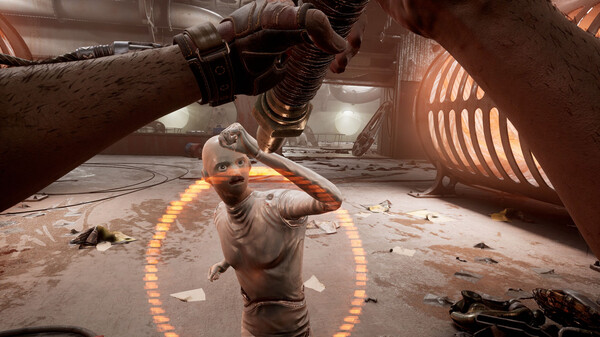
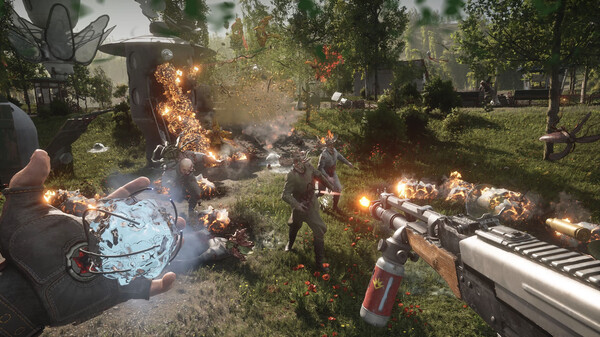

STEAM GIFT
Please specify your account region before purchasing.
You can check your account region here - https://store.steampowered.com/account
❗️If your account region is incorrect, the game will not be delivered.
🔴If you are making a purchase with a region change, the email domain linked to your account must not be on mail.ru. Otherwise, changing the region will not be possible. Also, if you have a mail.ru email address linked to your account, you cannot change it to another email address before changing the region, or your account will be blocked after the region change.Please specify your account region before purchasing.
You can check your account region here - https://store.steampowered.com/account
❗️If your account region is incorrect, the game will not be delivered.
If it´s set to RUSSIA or BELARUS or KAZAKHSTAN or ANY CIS COUNTRY = I LOG INTO YOUR ACCOUNT, change the region, and gift the game. It´s important that your region hasn´t changed or been reset to Russia from another region in the last 3 months. ❗If you changed the region and it reset, and less than 3 months have passed, this method won´t work.❗
If it´s set to any other region from those offered for payment = I GIVE the game away as a gift.
❗For those with Russia and Belarus, the new region is set at the seller´s discretion. If you´re interested in a specific region, please agree on it in chat BEFORE purchasing. Kazakhstan cannot be set for Atomic Heart, as the game is not sold in Kazakhstan.❗
ATTENTION!If it´s set to any other region from those offered for payment = I GIVE the game away as a gift.
❗For those with Russia and Belarus, the new region is set at the seller´s discretion. If you´re interested in a specific region, please agree on it in chat BEFORE purchasing. Kazakhstan cannot be set for Atomic Heart, as the game is not sold in Kazakhstan.❗
✔️How does the whole process work?
✔️Pay for the item
✔️For accounts with the Russia/Belarus/Kazakhstan region - I log into your Steam account, change the region, and gift the game.
✔️For all other available regions - I add you as a friend (without logging into your account) and send the gift.
FAQ for those who currently have ✔️Russia or ✔️Belarus on Steam:
✔️Log into your account✔️
🔹Yes, this is necessary.
✔️Change the region✔️
🔹Yes, there´s no other way. I´ll change your region, but NOTHING will change for you.
🔹🔹Everything will be 100% the same, just the currency in the store. Other✔️
🔹🔹You won´t need to use a VPN/Proxy or anything else✔️
🔹🔹The game will be in Russian and fully accessible, just like all the games you´ve purchased so far✔️
✔️Do I need to disable STEAM GUARD✔️
🔹Generally, if it´s easy for you, it´ll be easier, but if you don´t want to or are too lazy, then just give me the code when I log in.
✔️After changing, will I change back to Russia/Belarus or when will it be possible to change it?✔️
🔹Steam has a limit of changing regions every 3 months. After 3 months, you can change the region, but you can´t return to Russia/Belarus.❗❗❗ If you didn´t read the description or paid accidentally, or for any reason If a refund is initiated due to your fault, the refund will be subject to a 20% deduction. However, if the fault lies with me, no deduction will be made (i.e., you will receive a full refund). ❗❗❗
❗Also, if you don´t like the game/it´s running poorly/it has low FPS/connection issues, or there´s another reason for a refund AFTER you´ve received the game in your account, a refund will not be issued, as we are not responsible for the technical condition of the game./attentionAFTER PURCHASE:
When sending as a gift
1. Send the 16-digit code received after purchase in chat.
2. Send a link to your Steam profile.
3. Wait for a friend invitation from the seller and accept it.
4. Accept the notification that a gift has been sent to you.
5. After adding the game to your library, begin downloading the game files and wait for it to fully download.
6. Enjoy!
When purchasing with a region change
1. Send the 16-digit code received after purchase in chat.
2. Send your Steam account login and password.
3. Wait for the seller to respond to confirm your login.
4. Wait for the seller to notify you that your region has been changed.
5. Once you receive a notification that a gift has been sent to you, accept it.
6. Enjoy!
AFTER PURCHASE:
When sending as a gift
1. Send the 16-digit code after the purchase in the chat.
2. Send a link to your Steam profile.
3. Wait for the friend invitation from the seller and accept it.
4. After receiving a notification that you have been sent a gift, accept it.
5. After adding to the library, start downloading the game files and wait until it is fully downloaded.
6 Enjoy!
When purchasing with a region change
1. Send the 16-digit code after the purchase in the chat.
2. Send your Steam account login and password.
3. Wait for the seller to reply to you to confirm the login.
4. Wait for the seller to message you that the region has been changed.
5. After receiving a notification that you have been sent a gift, accept it.
6. Enjoy!
When sending as a gift
1. Send the 16-digit code after the purchase in the chat.
2. Send a link to your Steam profile.
3. Wait for the friend invitation from the seller and accept it.
4. After receiving a notification that you have been sent a gift, accept it.
5. After adding to the library, start downloading the game files and wait until it is fully downloaded.
6 Enjoy!
When purchasing with a region change
1. Send the 16-digit code after the purchase in the chat.
2. Send your Steam account login and password.
3. Wait for the seller to reply to you to confirm the login.
4. Wait for the seller to message you that the region has been changed.
5. After receiving a notification that you have been sent a gift, accept it.
6. Enjoy!
31.12.2025 13:27:06
Быстро и без проблем.
12.06.2025 4:01:28
Продавец работает весьма четко. Игра доставлена быстро. Успешно установилась. Я доволен!
Reader901
Reader901
11.06.2025 18:35:54
спасибо
09.04.2025 12:07:43
Всё отлично и без проблем со стороны продавца
Рекомендую
Рекомендую
29.01.2025 15:49:12
по началу думал что отправил обычный, но стим умеет дурить и надо проверять версию после принятия игры, а так всё хорошо и понятно объяснил что делать после получения и предостерег от бед)
07.09.2024 17:26:10
все отлично