WAR Card Game_uvr STEAM KEY REGION FREE GLOBAL ROW
Content: text (17 symbols)
Available: 14
Uploaded: 26.03.2023
Positive responses: 0
Negative responses: 0
Sold: 0
Refunds: 0
Seller: kostet624
information about the seller and its items
Loyalty discount! If the total amount of your purchases from the seller more than:
| $100 | the discount is | 1% |
| $250 | the discount is | 2% |
$0.74
✅ Immediately after purchasing this product, you will receive a license key 🔑 from the game WAR Card Game_uvr for the Steam platform. This product has no regional restrictions and can be activated in any country.
ABOUT THIS GAMEWAR Card Game_uvr is a computer game version of the card game "WAR" but with a medieval theme.
BACK STORY: You are an adventurer who is seeking a break from adventuring when you come across Ye Olde Inn and, when you go inside, you are challenged by the Oracle (the computer player) to a game of WAR. (Initially, you type in your first name so the game program can refer to you by printing your name on the screen and by speaking your name.) The Oracle suggests that you put your swords on the table and he conjures up a deck of cards for you to play with.
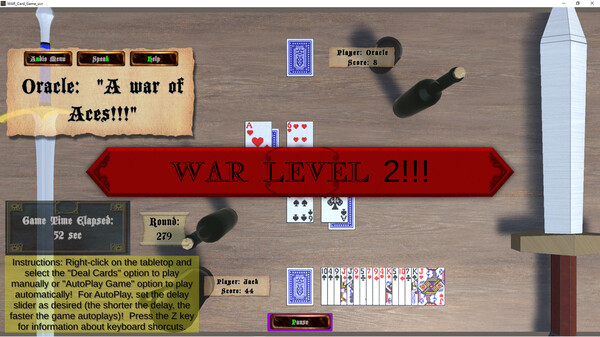
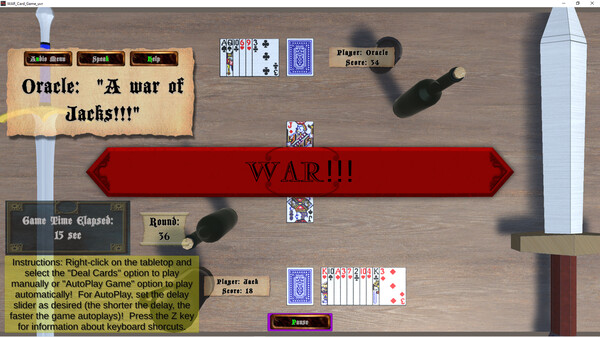
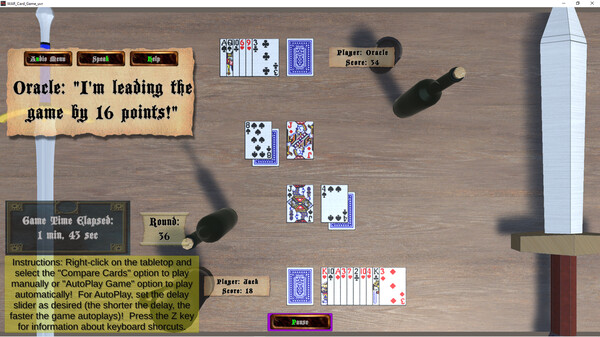
GAME PLAY: Right-clicking on the tabletop (the area of the screen with the wooden texture) brings up the Start Menu Panel. Clicking the Start Game Button starts the game and splits the deck of cards. Right-clicking again brings up the Game Menu Panel. Clicking the Deal Cards Button deals a single card from both your cards and the Oracle´s cards. Right-clicking yet again brings back up the Game Menu Panel. Clicking the Compare Cards Button determines who has the higher face value card and awards the cards to that player. If the cards are of equal face value, then there is a WAR. When a WAR happens, each player turns an additional card down and an additional card up. Then, the up cards are compared and whoever has the higher face value up card wins all cards dealt. If the up cards are of equal face value, then there is a WAR level 2 and the process is repeated. The dealing and comparing of cards continues until either one of the players wins all the cards or a player runs out of cards during a WAR. The player who runs out of cards during a WAR loses by default.
FEATURES:
📝 Product activation on Steam:1. Get the paid product in the Purchases section.
2. If the Steam client is not installed, download it for Windows (the client is also available on Mac and Linux) and install it.
3. Launch Steam, log into your account or register a new one if you don´t already have one.
4. Enter the "Games" menu and select "Activate via Steam".
5. Accept the Steam Subscriber Agreement.
6. Enter the activation key.
7. After activation, you will be prompted to download the game.
The key can also be activated through a browser - https://store.steampowered.com/account/registerkey
You can get acquainted with the entire range at this link - https://top.steamkeygift.ru/seller/828276 🌸/attention
2. If the Steam client is not installed, download it for Windows (the client is also available on Mac and Linux) and install it.
3. Launch Steam, log into your account or register a new one if you don´t already have one.
4. Enter the "Games" menu and select "Activate via Steam".
5. Accept the Steam Subscriber Agreement.
6. Enter the activation key.
7. After activation, you will be prompted to download the game.
The key can also be activated through a browser - https://store.steampowered.com/account/registerkey
✍ Thank you for your positive feedback!
💬 We kindly ask you not to leave negative feedback before contacting the seller, in most cases your problem will be solved as soon as the seller reads your message. Thank you for your understanding.
attention🌸 A lot of games at the cheapest prices only in my store!You can get acquainted with the entire range at this link - https://top.steamkeygift.ru/seller/828276 🌸/attention
No feedback yet