Rayman Legends+++ PS4 RUS ✅
Content: text (0 symbol)
Available: 1
Uploaded: 01.01.2026
Positive responses: 0
Negative responses: 0
Sold: 2
Refunds: 0
$8.18
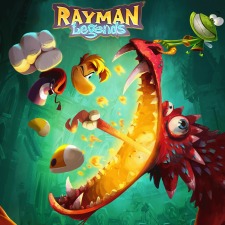
Rayman Legends
Plants vs. Zombies: Battle for Neighborville
Unravel Yarny Bundle
Little Nightmares
Instructions:
1. Go to https://account.sonyentertainmentnetwork.com/login.action
2. Enter your purchased account information: login:password (email:password)
3. Select "Account" at the top
4. Select "Media and Devices" in the left menu
5. On the main page, click the rectangular button "Deactivate All"
Setting up an account on a PS4 console:
(Before logging into your account on PS4, please read the "ALTERNATE BOOT IF YOU´RE KICKED OUT" section to learn what to do if you´re kicked out of your account.)
1. Create a new user and log into the console with the purchased account information. Before logging in, you´ll be asked to activate the account as your primary account. Activate it!
2. Go to your library and download the game(s).
3. Log out of the purchased account (press and hold the PS button on the controller, press power, and then log out), select your personal account, and log in.
After the games have downloaded, you can play. ALTERNATIVE download if you´ve been logged out of your account:
(Don´t try to log in again, and immediately follow these steps)
1. Go to https://store.sonyentertainmentnetwork.com/#!/
2. Enter the account information you received in the mail:pass format
3. Click on your username and select the 5th line from the top - DOWNLOADS LIST
4. You´ll be taken to the downloads section, where you can download games, which will automatically be added to your console. Click the button next to the game you want to download.
5. Once downloaded, exit the site.
P.S. This method should be used immediately after you are kicked from the console.
Important:
- The account must be used immediately after purchase.
- Do not re-log into the purchased account; play only with your personal account.
- Do not delete the purchased account from your PS4.
- Do not change any data on the purchased account.
- If you want a 100% guarantee against locking (game crashes), disconnect the PS4 from the internet after downloading games.
• Upon purchase, you MUST record a video "from the moment of purchase until the account is verified through the website!" If the account is invalid/password changed/not deactivated, and you do not have a video, a replacement or moneyback will not be possible! Accounts are non-refundable (replacement is only possible if invalid).
• Please do not leave negative reviews before contacting the seller.
Instructions for use:
Press the button between the thumbsticks for 3 seconds to bring up the quick menu.
There´s power/change user/add new one (but not guest)
accept terms/enter data/do not change console
we get to the desktop
then go to library/search/game name/download
the game starts and is played from the game profile
!!!!!!! When you finish playing, remove the user from the game!!!!!!!
!!!!!!! For renewal, write no later than 24 hours before the end of the rental!!!!!!!
!!!!!!! Do not change any data on the rented account!!!!!!!
Plants vs. Zombies: Battle for Neighborville
Unravel Yarny Bundle
Little Nightmares
Instructions:
1. Go to https://account.sonyentertainmentnetwork.com/login.action
2. Enter your purchased account information: login:password (email:password)
3. Select "Account" at the top
4. Select "Media and Devices" in the left menu
5. On the main page, click the rectangular button "Deactivate All"
Setting up an account on a PS4 console:
(Before logging into your account on PS4, please read the "ALTERNATE BOOT IF YOU´RE KICKED OUT" section to learn what to do if you´re kicked out of your account.)
1. Create a new user and log into the console with the purchased account information. Before logging in, you´ll be asked to activate the account as your primary account. Activate it!
2. Go to your library and download the game(s).
3. Log out of the purchased account (press and hold the PS button on the controller, press power, and then log out), select your personal account, and log in.
After the games have downloaded, you can play. ALTERNATIVE download if you´ve been logged out of your account:
(Don´t try to log in again, and immediately follow these steps)
1. Go to https://store.sonyentertainmentnetwork.com/#!/
2. Enter the account information you received in the mail:pass format
3. Click on your username and select the 5th line from the top - DOWNLOADS LIST
4. You´ll be taken to the downloads section, where you can download games, which will automatically be added to your console. Click the button next to the game you want to download.
5. Once downloaded, exit the site.
P.S. This method should be used immediately after you are kicked from the console.
Important:
- The account must be used immediately after purchase.
- Do not re-log into the purchased account; play only with your personal account.
- Do not delete the purchased account from your PS4.
- Do not change any data on the purchased account.
- If you want a 100% guarantee against locking (game crashes), disconnect the PS4 from the internet after downloading games.
• Upon purchase, you MUST record a video "from the moment of purchase until the account is verified through the website!" If the account is invalid/password changed/not deactivated, and you do not have a video, a replacement or moneyback will not be possible! Accounts are non-refundable (replacement is only possible if invalid).
• Please do not leave negative reviews before contacting the seller.
Instructions for use:
Press the button between the thumbsticks for 3 seconds to bring up the quick menu.
There´s power/change user/add new one (but not guest)
accept terms/enter data/do not change console
we get to the desktop
then go to library/search/game name/download
the game starts and is played from the game profile
!!!!!!! When you finish playing, remove the user from the game!!!!!!!
!!!!!!! For renewal, write no later than 24 hours before the end of the rental!!!!!!!
!!!!!!! Do not change any data on the rented account!!!!!!!
No feedback yet