Wizard of Hunting Life STEAM KEY REGION FREE GLOBAL +🎁
Content: text (17 symbols)
Available: 5
Uploaded: 30.12.2022
Positive responses: 0
Negative responses: 0
Sold: 0
Refunds: 0
Seller: kostet624
information about the seller and its items
Loyalty discount! If the total amount of your purchases from the seller more than:
| $100 | the discount is | 1% |
| $250 | the discount is | 2% |
$2.14
✅ Immediately after purchasing this product, you will receive a license key from the Wizard of Hunting Life game for the Steam platform. This product has no regional restrictions and can be activated in any country.
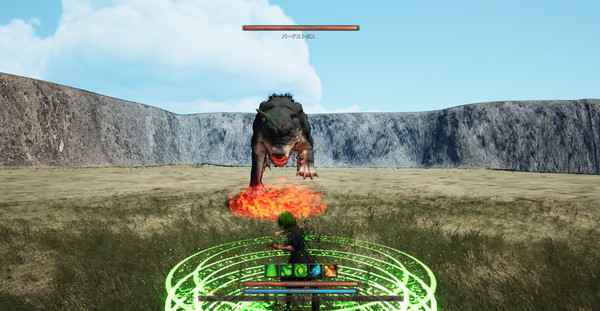
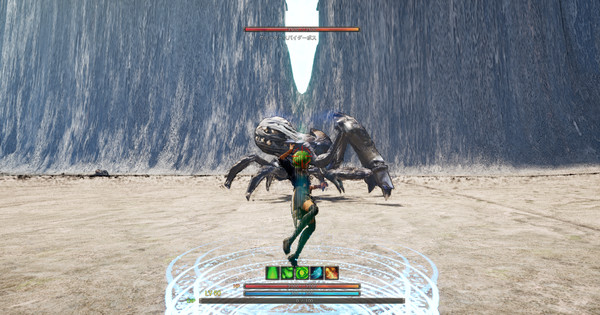
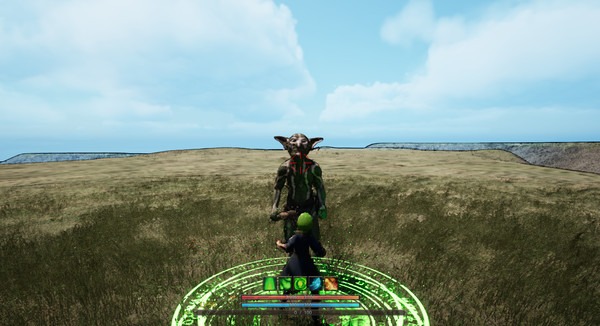
Wizard of Hunting Life is an action role—playing game.Hunt to level up, earn money to buy equipment and challenge stronger enemies.
Adventurers Guild
You can get quests in the Adventurers Guild.The number of quests you can get will increase by completing quests and increasing the rank of the adventurer.
Skill system
You will earn skill points as your character level up.Using skill points, you can increase the skill level in the skill window.
blacksmith
You can use the money received from the quest from the blacksmith to buy equipment.
Please equip the purchased equipment from the inventory window.
Mouse and Keyboard
Operation Camera Operation: Mouse Movement
Move/Avoid: W key
(To avoid, press the move key twice in a row)
Move/Avoid: S key
Move Left/Avoid: Key
Move right/avoid: D key
Jump: Space
Shot: left-click
Shotgun: Right-click
A7M Scope: Shot + shotgun
Thunder Sword: Forward movement + shot + shotgun
Dragon´s Breath: Retreat + Shot + Shotgun
Skill Window: K key
Pose: Esc key
Item selection: Arrow keys
Solution: enter the key
Say: E key
Inventory: I key
Working with the gamepad
Camera control: Right joystick
Move/Avoid: Left joystick, Y axis
(To avoid, press the move key twice in a row)
Move backward/Avoid: Left stick on Y axis
Move/avoid to the left: Left joystick, X axis
Moving/avoiding to the right: Left joystick, X axis
Jump: button
Shot: Button B
Shotgun: Y button
A7M Scope: Shot + shotgun
Thunder Sword: Forward movement + shot + shotgun
Dragon´s Breath: Retreat + Shot + Shotgun
Skill Window: X button
Pose: Special Right
Item Selection: Analog Joystick/Arrow Keys
Enter: button
Conversation: Button
Inventory: Special Left
📝 Product activation on Steam:1. Get the paid product in the Purchase section.
2. If the Steam client is not installed, download it for Windows (the client is also available on Mac and Linux) and install.
3. Launch Steam, log into your account or register a new one if you do not already have one.
4. Enter the "Games" menu and select "Activate via Steam".
5. Accept the Steam Subscriber Agreement.
6. Enter the activation key.
7. After activation, you will be prompted to download the game.
The key can also be activated through the browser - https://store.steampowered.com/account/registerkey
You can familiarize yourself with the entire range at this link - https://top.steamkeygift.ru/seller/828276 🌸/attention
2. If the Steam client is not installed, download it for Windows (the client is also available on Mac and Linux) and install.
3. Launch Steam, log into your account or register a new one if you do not already have one.
4. Enter the "Games" menu and select "Activate via Steam".
5. Accept the Steam Subscriber Agreement.
6. Enter the activation key.
7. After activation, you will be prompted to download the game.
The key can also be activated through the browser - https://store.steampowered.com/account/registerkey
+ 1 random Steam key for everyone who leaves a positive comment! 🎁
✍ Thank you for your positive feedback!
attention🌸 Many games at the cheapest prices only in my store!✍ Thank you for your positive feedback!
You can familiarize yourself with the entire range at this link - https://top.steamkeygift.ru/seller/828276 🌸/attention
No feedback yet