PUBG - 5.56 - macros for bloody, x7
Content: PUBG-5.56-bloody-x7.zip (4.42 KB)
Uploaded: 25.03.2026
Positive responses: 1
Negative responses: 0
Sold: 10
Refunds: 0
$4.87
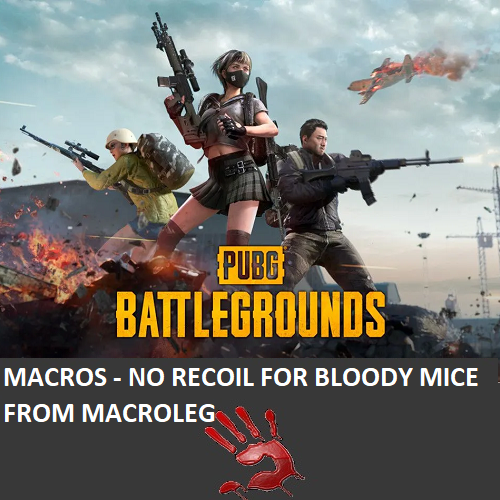
Macros - No recoil for Bloody & x7 mice in PUBG remove most of the vertical recoil of automatic weapons with a caliber of 5.56, greatly improving accuracy and increasing the effective range against enemies. Your mouse Bloody must be activated and supported by the BLOODY 7 software.
Macros were written taking into account the increased mags, for shooting from a standing position in the first person, under the mouse sensitivity settings in the game for sight: 1x - 50, vertical sensitivity multiplier - 1.0.
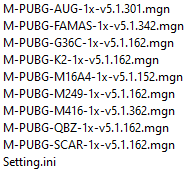
Macros with the .mgn extension are closed for editing — they can only be used and are not compatible with the Bloody WorkShop 8 program.
Macros with the .amc extension are for X7 mice, and they can be imported into the Bloody Workshop 8 software.
After pressing the macro button once, recoil control (or another assigned action) will start.
v5.2…amc — Load these macros onto the F (7th) button if available, or onto button 3 (wheel click) and side buttons 5 and 4.
When you press the macro button, it turns on, and recoil control will activate when pressing the left mouse button.
To turn the macro off, press the same macro button again.
v5.1...mgn — After activating the macro, recoil reduction occurs when the left mouse button is pressed.
v5.4...mgn — After activating the macro, recoil reduction occurs when the right mouse button and left mouse button are pressed. If the right mouse button is not pressed, the left mouse button operates in its default mode.
Also join my Discord and VK groups. I post important information there as well.
You can also access your personal account through the website oplata.info/attention
Macros were written taking into account the increased mags, for shooting from a standing position in the first person, under the mouse sensitivity settings in the game for sight: 1x - 50, vertical sensitivity multiplier - 1.0.
Macros with the .mgn extension are closed for editing — they can only be used and are not compatible with the Bloody WorkShop 8 program.
Macros with the .amc extension are for X7 mice, and they can be imported into the Bloody Workshop 8 software.
Macros with the .mgn extension are closed for editing — they can only be used and are not compatible with the Bloody WorkShop 8 program. If you are using the Bloody WorkShop 8 program, please contact me. The macros are currently in production. It’s possible that the macros are already available, but I haven’t uploaded them for sale yet.
Macro versions:
v5.1…amc — Load these macros onto the mouse button F (7th) if your mouse has it, or onto button 3 (wheel click) and side buttons 5 and 4.After pressing the macro button once, recoil control (or another assigned action) will start.
v5.2…amc — Load these macros onto the F (7th) button if available, or onto button 3 (wheel click) and side buttons 5 and 4.
When you press the macro button, it turns on, and recoil control will activate when pressing the left mouse button.
To turn the macro off, press the same macro button again.
v5.1...mgn — After activating the macro, recoil reduction occurs when the left mouse button is pressed.
v5.4...mgn — After activating the macro, recoil reduction occurs when the right mouse button and left mouse button are pressed. If the right mouse button is not pressed, the left mouse button operates in its default mode.
Attention!!! There is a possibility that for technical reasons ("Input Lag" - affecting the operation of macros), or when changing the FOV, or when modifying weapons, if the sight pulls down during shooting, then reduce the values in the mouse sensitivity settings in the game, if up, then increase.
If the mouse sensitivity settings in the game are too large for you, or too small, then you can change the dpi of your mouse, this will not affect the work of macros.DOWNLOAD BLOODY 7: https://drive.google.com/file/d/1OFJZ76Kb6CmkoADsMNzEozX0Te3ecjgy/view
VIDEO: zen.yandex.ru/video/watch/625d3ed63e50e11d4bf1fd23Attention!!! If you receive an email with the message:“Digiseller: the seller wrote a message”open the email and follow the link inside. It will take you to your personal account, where you will find my message with important information about product updates, new product releases, or useful information about the anti-cheat system. For example, warnings about anti-cheat detection, how to avoid a ban, etc.Also join my Discord and VK groups. I post important information there as well.
You can also access your personal account through the website oplata.info/attention
After payment you will receive a link to download the archive with macros. If you accidentally closed the page with this link, you can return it by clicking on the link in the letter that came to your e-mail after payment. You can also go to your personal account at oplata.info and your purchase will be displayed there.
IF YOU HAVEN´T FOUND THE RIGHT MACRO ON SALE. THEN I CAN MAKE YOU A MACRO FOR A CERTAIN PAYMENT.
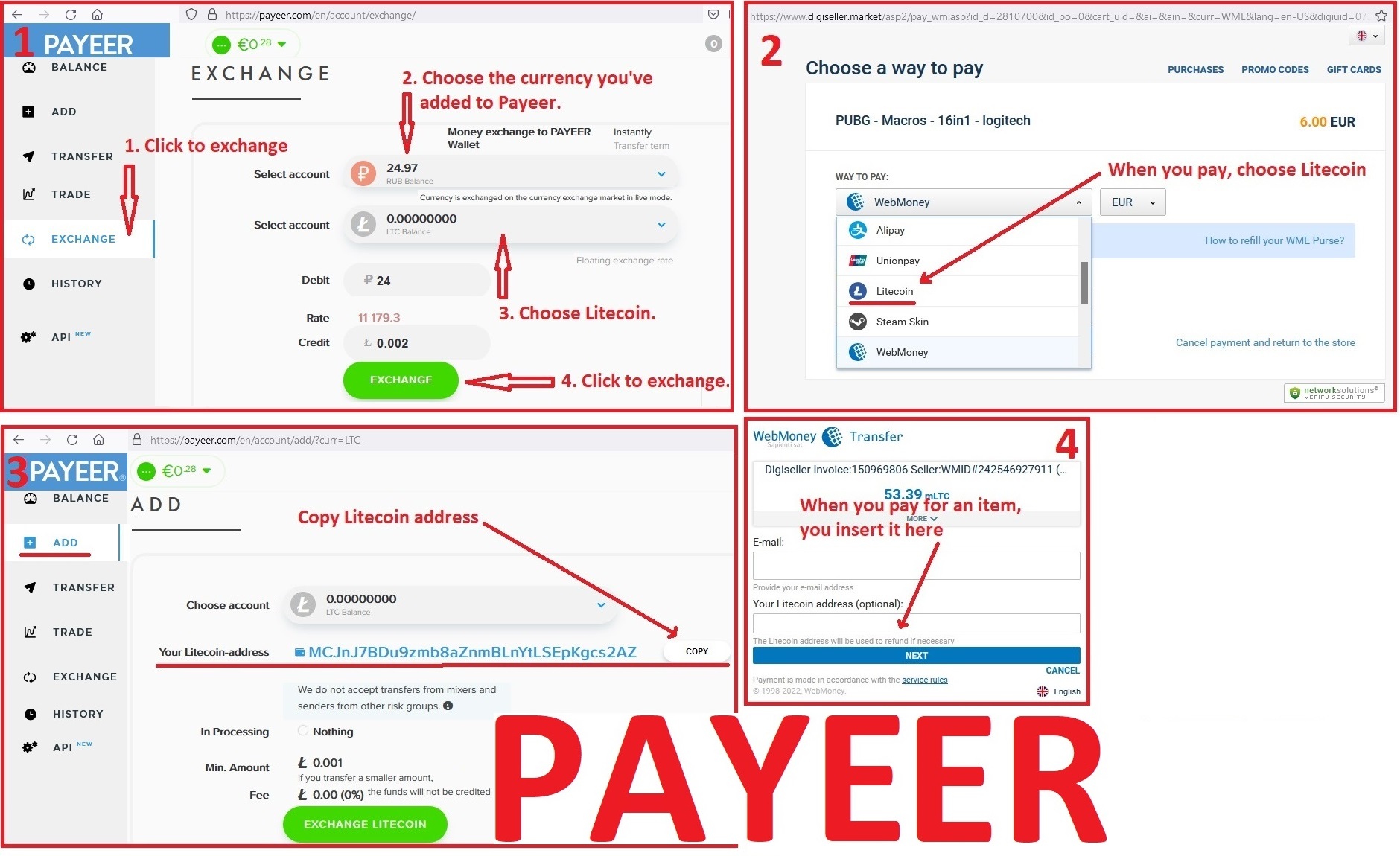
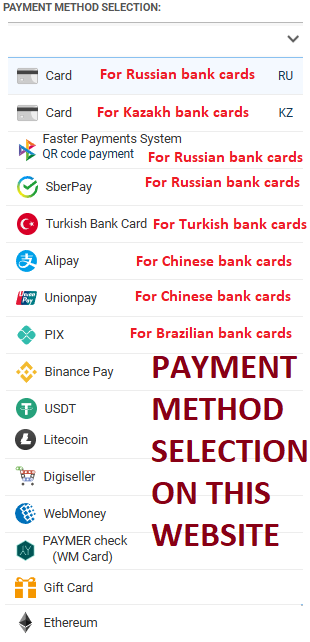
Attention!!! If you can´t pay with a bank card. Then you need Litecoin and get it easy:
1. Sign up for Payeer: https://payeer.com/?session=13084023
2. Register with the European Exchanger: https://changer4u.com/ru/aff/e60c9d86e365ae81439dedefa2ad227e3ac569d6
3. Replenish Payeer with an exchanger.
4. In Payeer replenish Litecoin.
5. When buying, choose Litecoin from the payment methods.
When paying with Litecoin, there is no banking commission and the price of the item is lower.
You can also pay with skins from Steam: zen.yandex.ru/video/watch/65c05a87bf878653f5ccff1d
1. Sign up for Payeer: https://payeer.com/?session=13084023
2. Register with the European Exchanger: https://changer4u.com/ru/aff/e60c9d86e365ae81439dedefa2ad227e3ac569d6
3. Replenish Payeer with an exchanger.
4. In Payeer replenish Litecoin.
5. When buying, choose Litecoin from the payment methods.
When paying with Litecoin, there is no banking commission and the price of the item is lower.
You can also pay with skins from Steam: zen.yandex.ru/video/watch/65c05a87bf878653f5ccff1d
20.09.2021 1:31:28
Все ок. Огонь. Продавец обязательный и общительный. Сделал обнову на макрос. Спасибо